
CRM – Lead Management
CRM - Lead Management System
A smart web application designed to manage leads, track activities, and organize customer data in one place. Built to help businesses follow up faster, stay organized, and convert leads without missing a beat.
Technology Used
-

PHP
-

mySQL
-

HTML
-

CSS
-

Javascript

Login
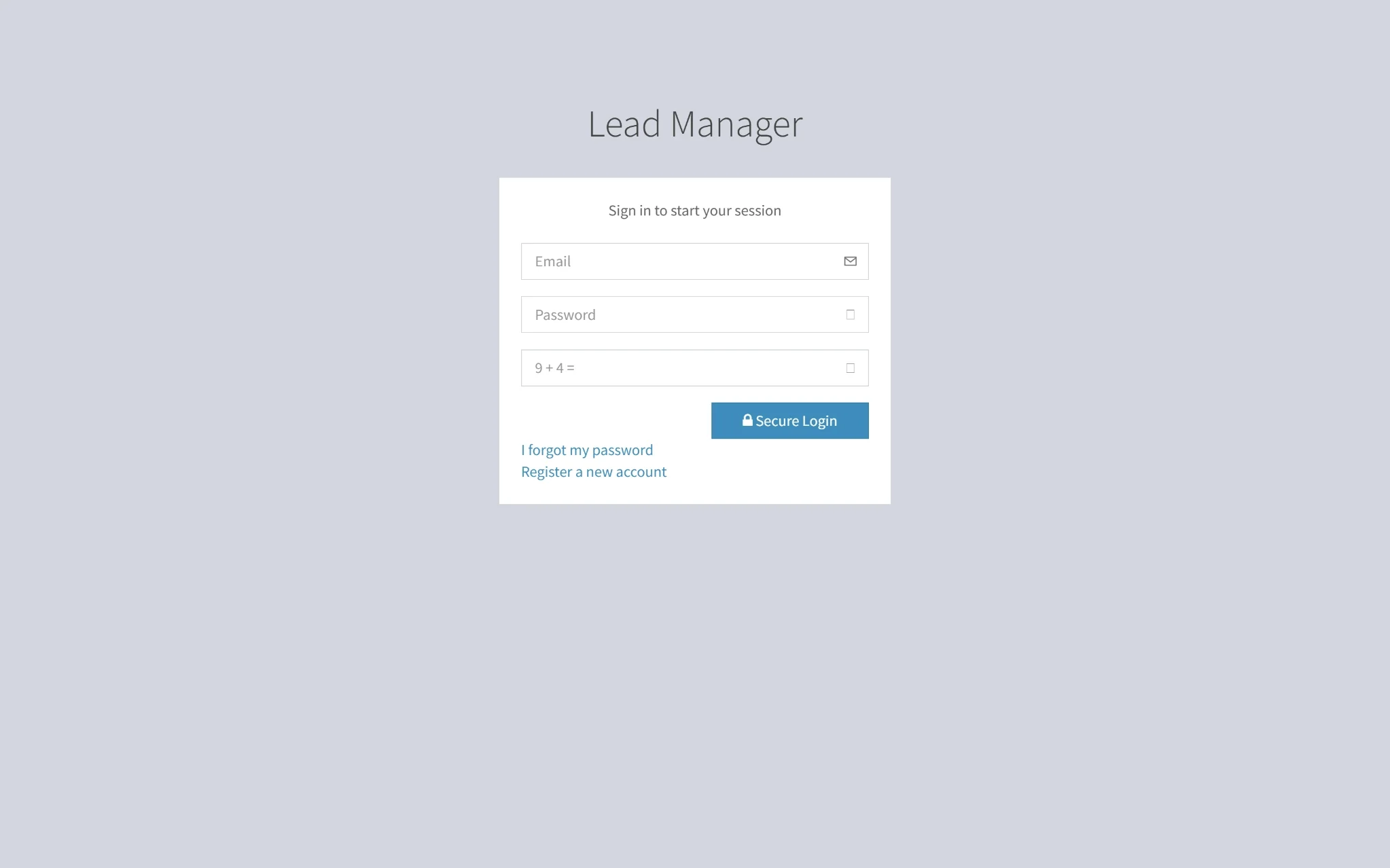
A sleek and secure login page that lets users access their account effortlessly. Just enter your ID and password, and you're ready to dive in and explore.
Navigation
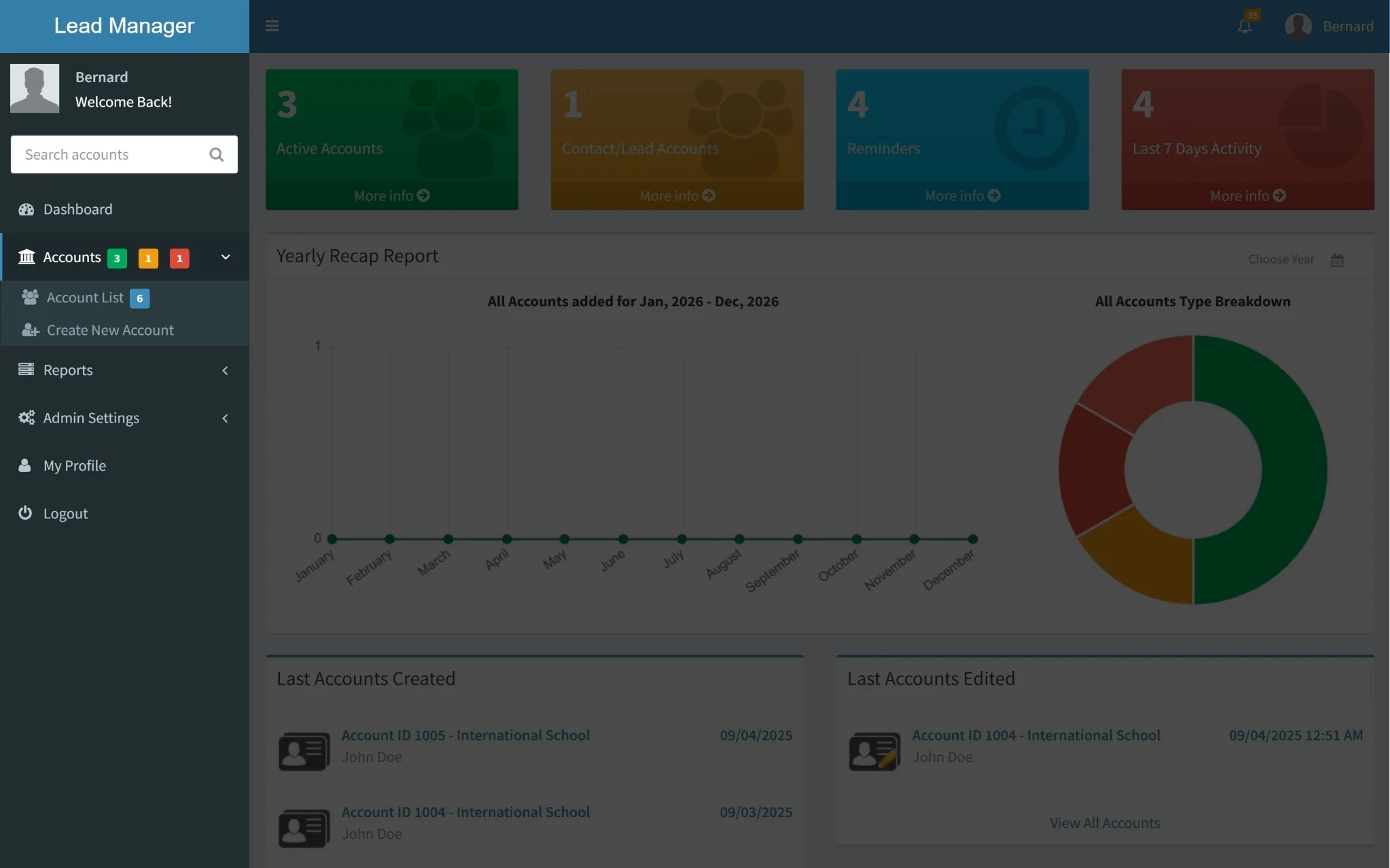
A streamlined dashboard for your lead management app, giving you quick access to Accounts, Reports, Admin Settings, and your Profile. Everything you need to manage leads efficiently is just a click away.
Real-Time Account Insights
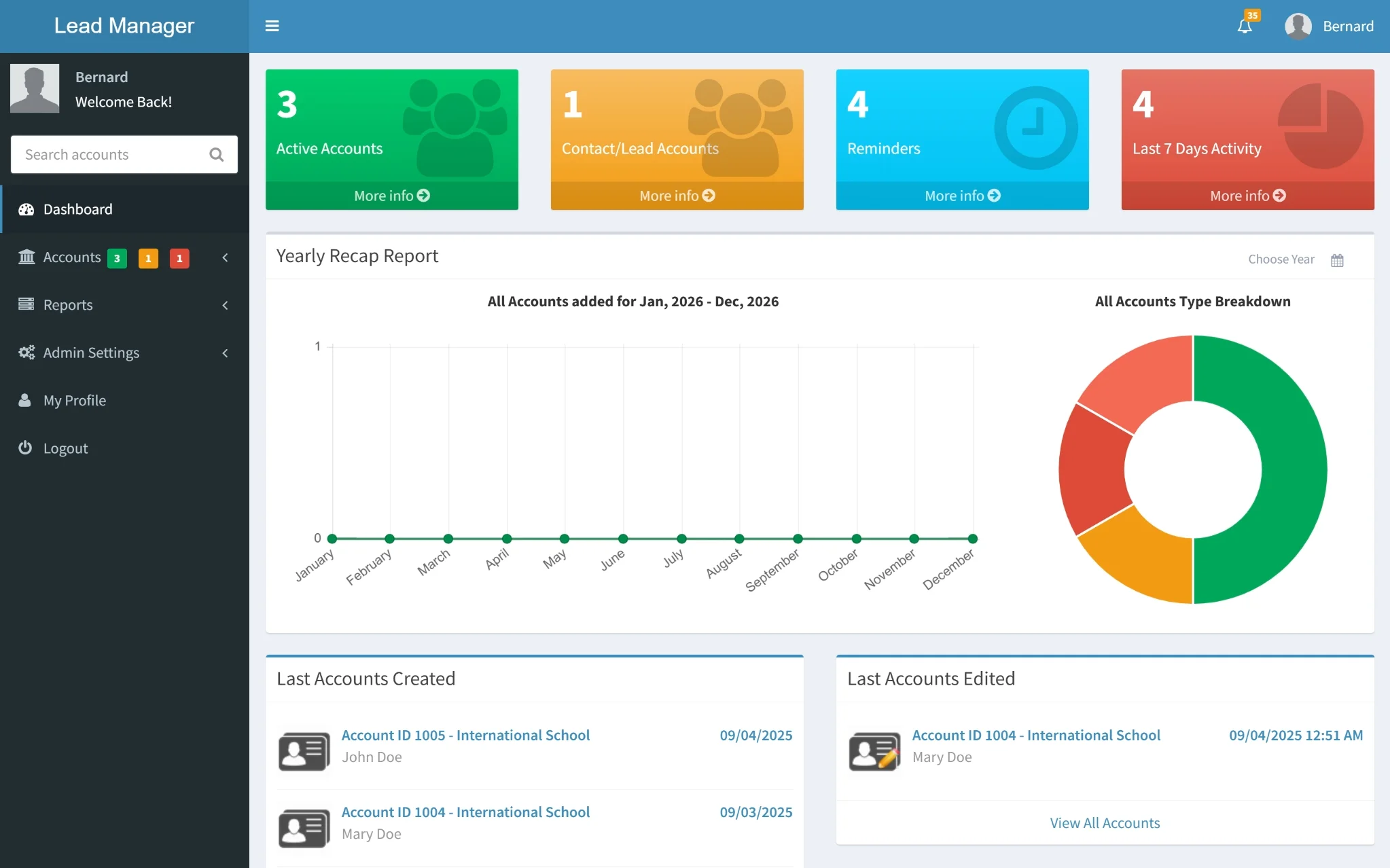
A smart overview of your lead ecosystem at a glance. Track active accounts, contacts, reminders, and recent activity with interactive charts that make insights easy to spot and decisions faster to make.
Recent Account Updates
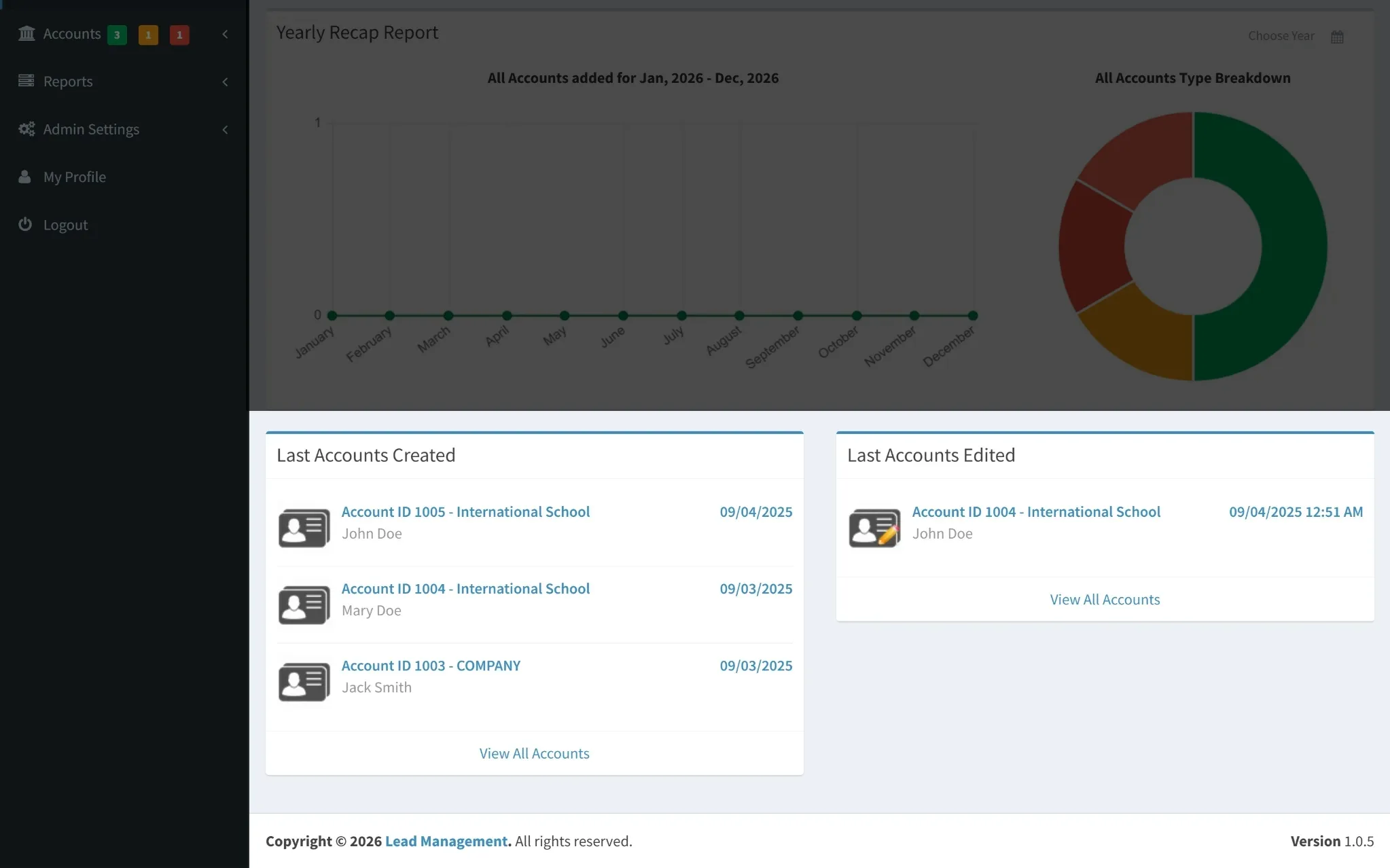
Stay up to date with the latest account activity in one place. This section highlights recently created and edited accounts, along with timestamps and assigned users, making it easy to track changes and manage follow-ups efficiently.
Accounts Overview
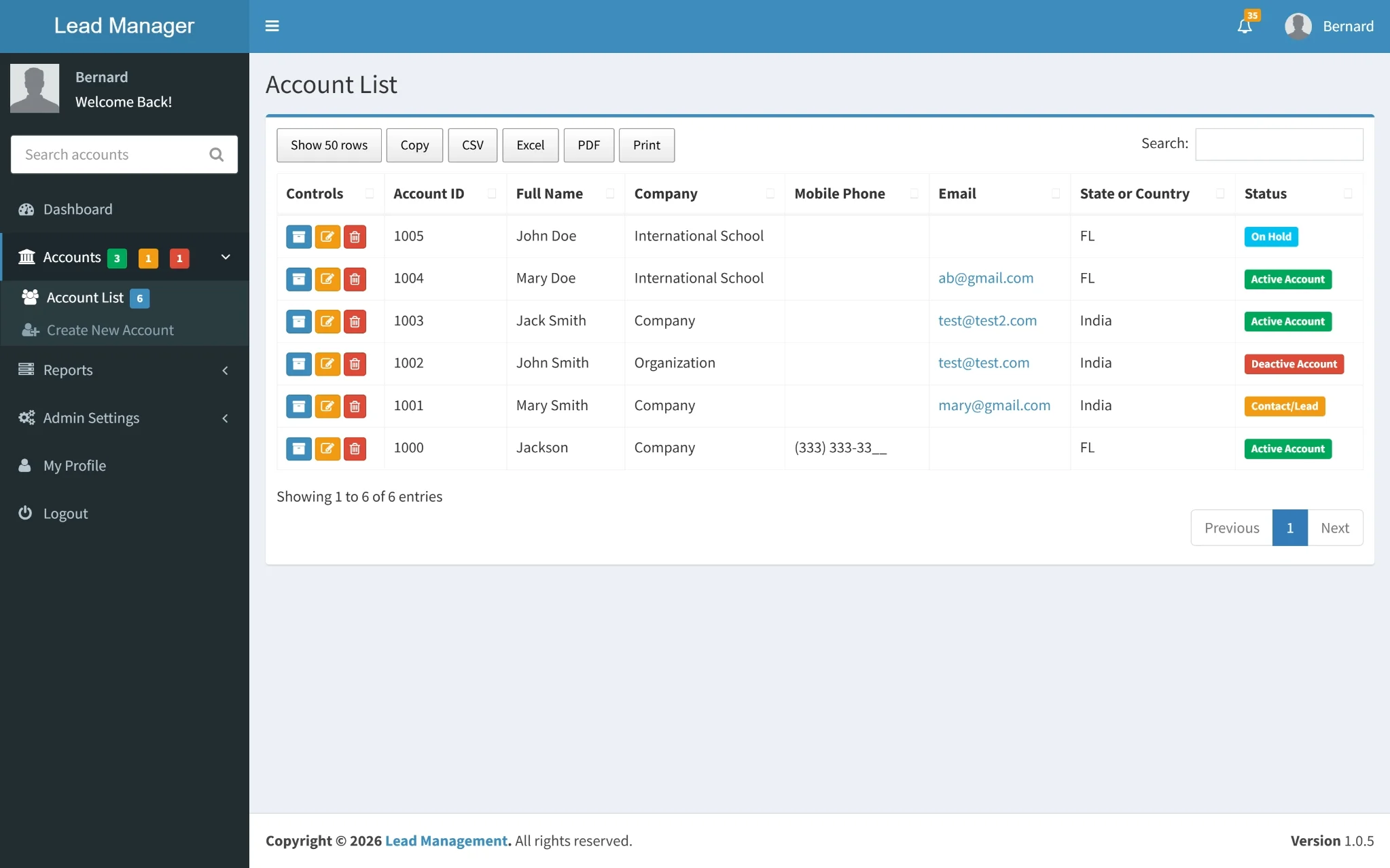
A clean and organized table that displays all accounts with key details like name, company, contact information, location, and current status. Built-in search, export, and filter options make it easy to review data quickly and manage leads or active accounts without confusion.
Last Accounts Created
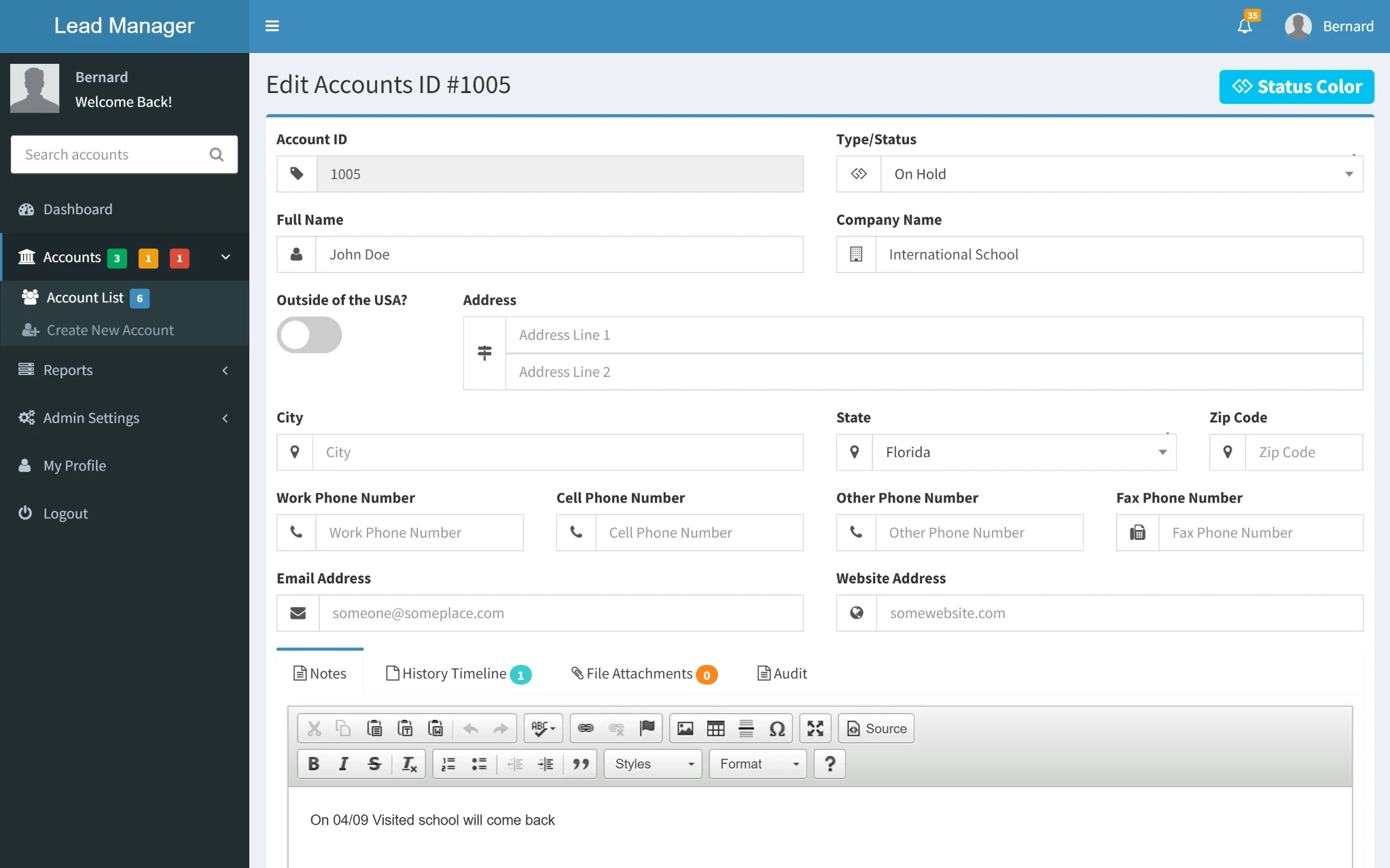
After tapping on a recently created account, a detailed form opens displaying complete information such as account status, personal and company details, contact numbers, address, and email. This allows users to quickly view, verify, and update account data without any friction.
Account Activity & Notes
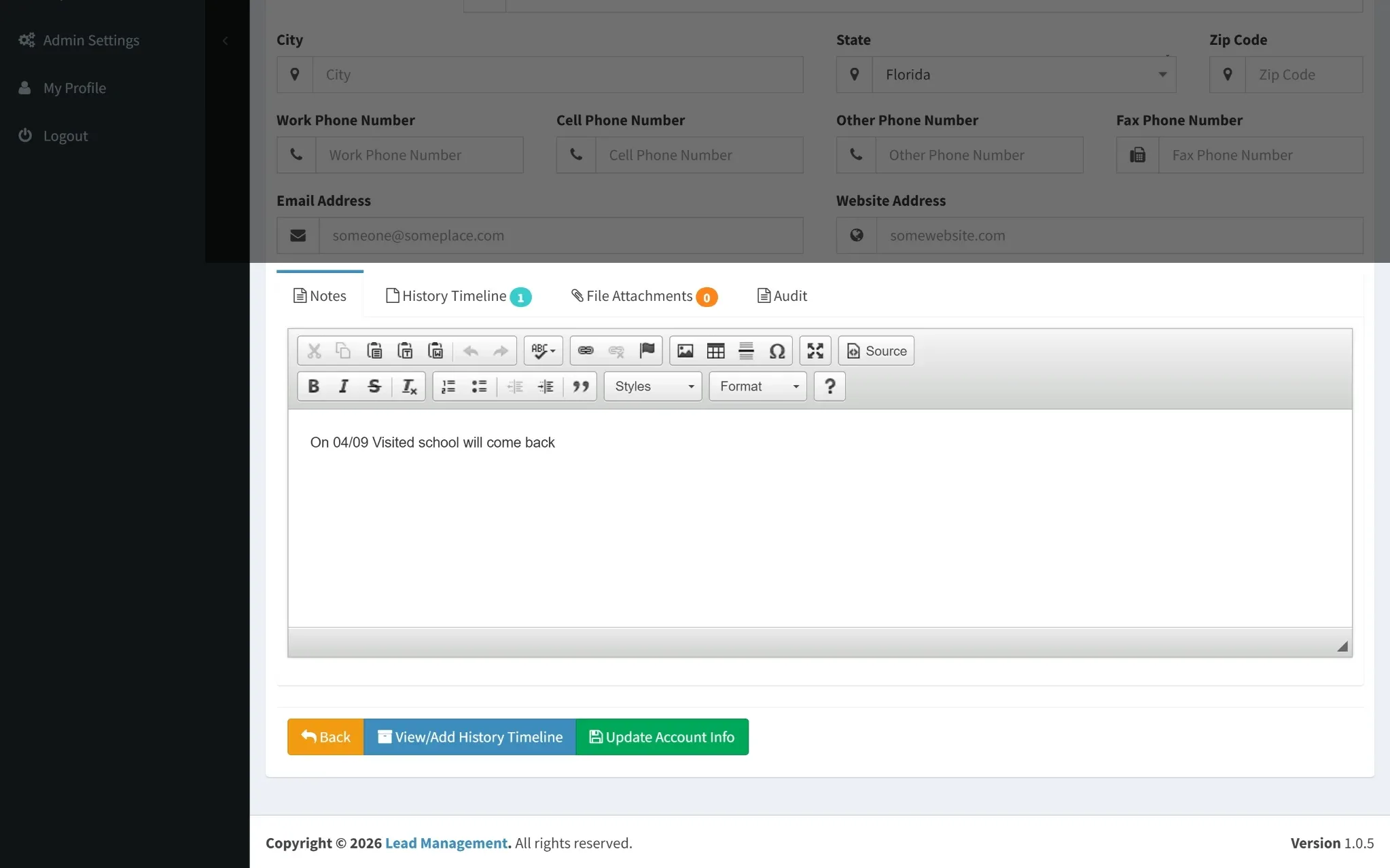
This section allows users to add and manage notes related to the selected account, view or add entries to the history timeline, attach relevant files, and review audit information. Action buttons at the bottom enable quick navigation back, updating account details, or accessing the complete activity history, ensuring all account-related actions are handled from one place.
History Timeline View
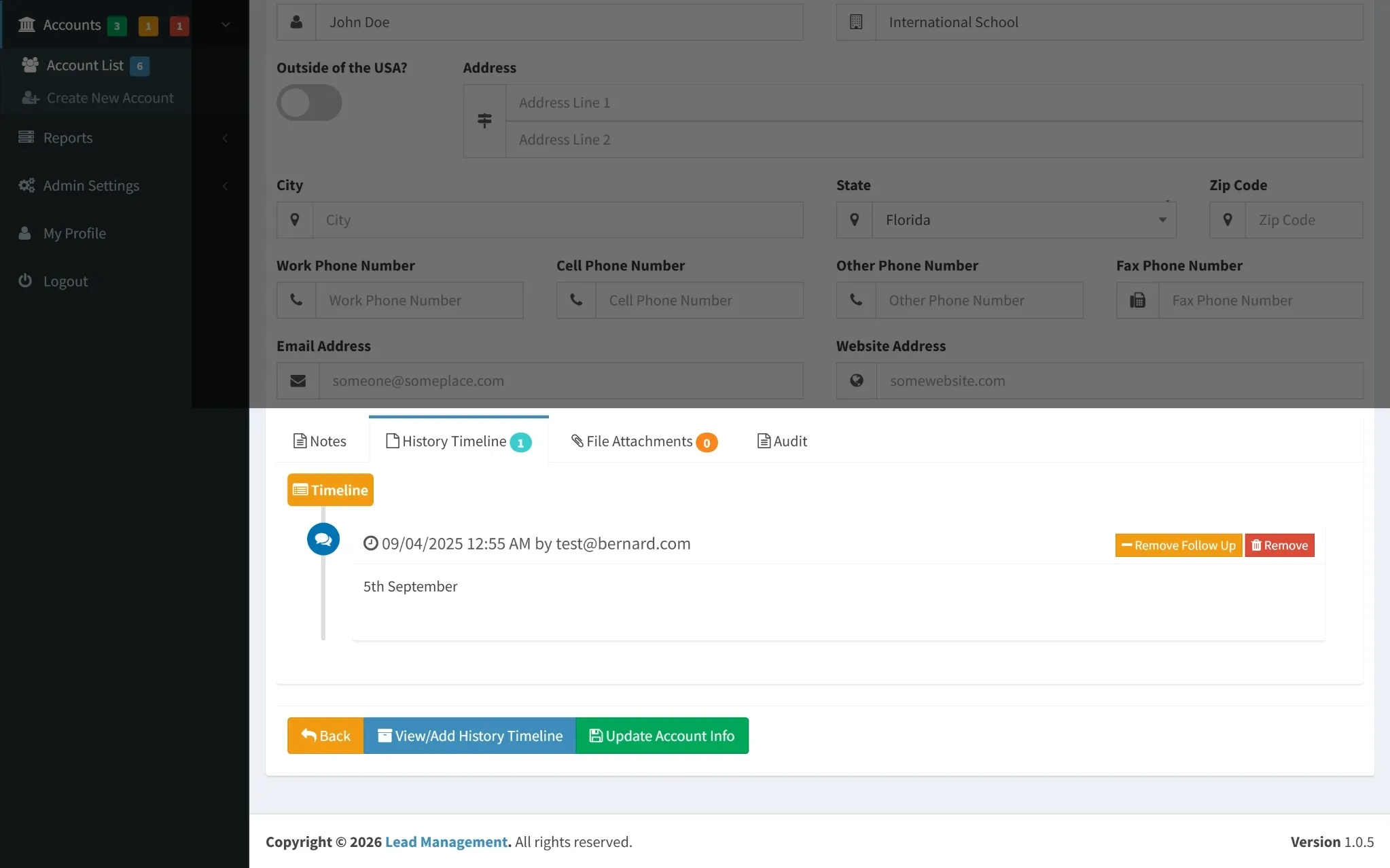
This screen displays a chronological timeline of all account-related activities, organized by date and time. Each entry shows who performed the action, with quick options to remove follow-ups or delete specific records, giving users full control over account history and activity tracking.
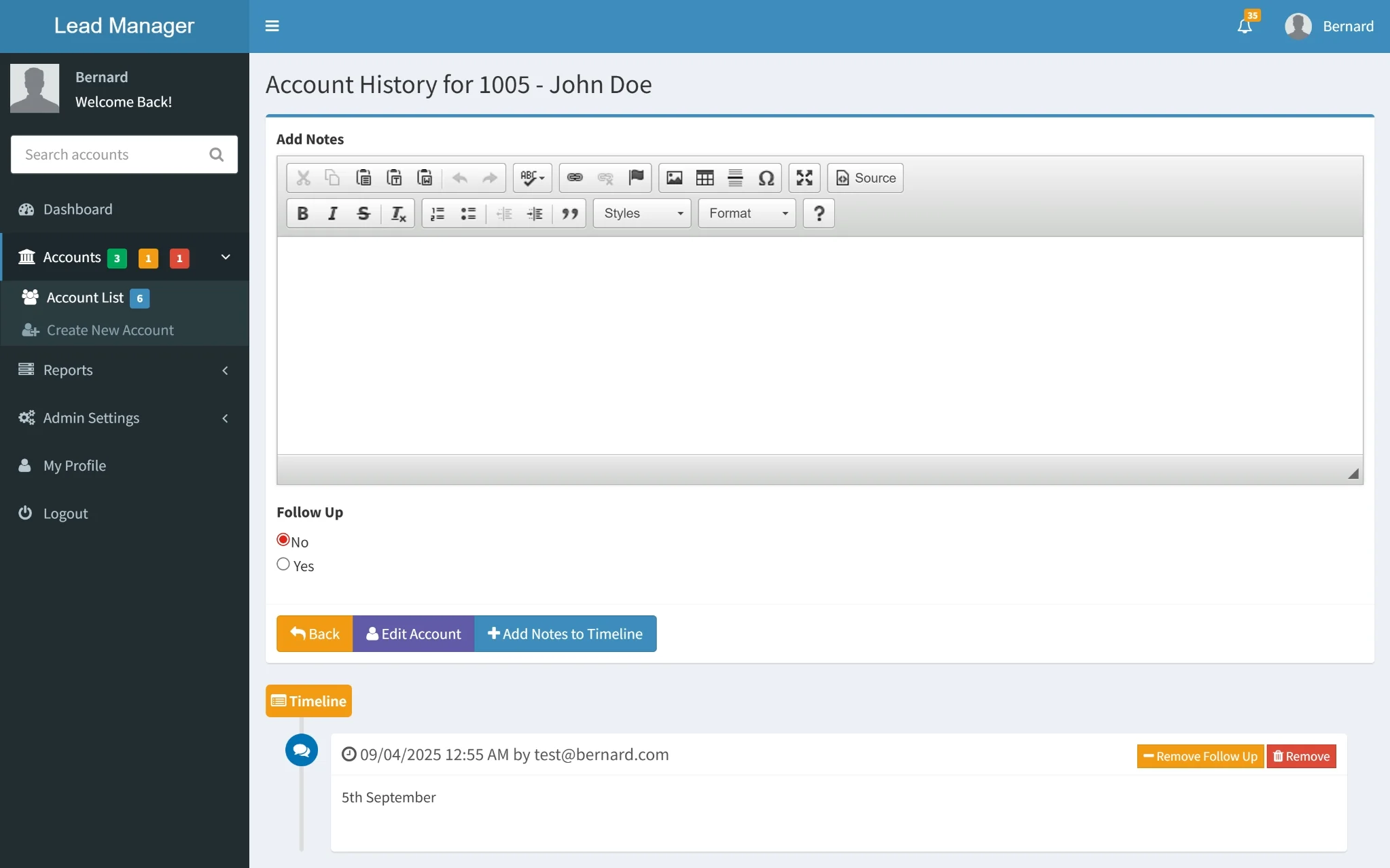
Account History
This screen captures every update, note, and follow-up linked to an account in one clean flow. Users can quickly add new entries, review past actions, and manage ongoing interactions with full clarity and control.
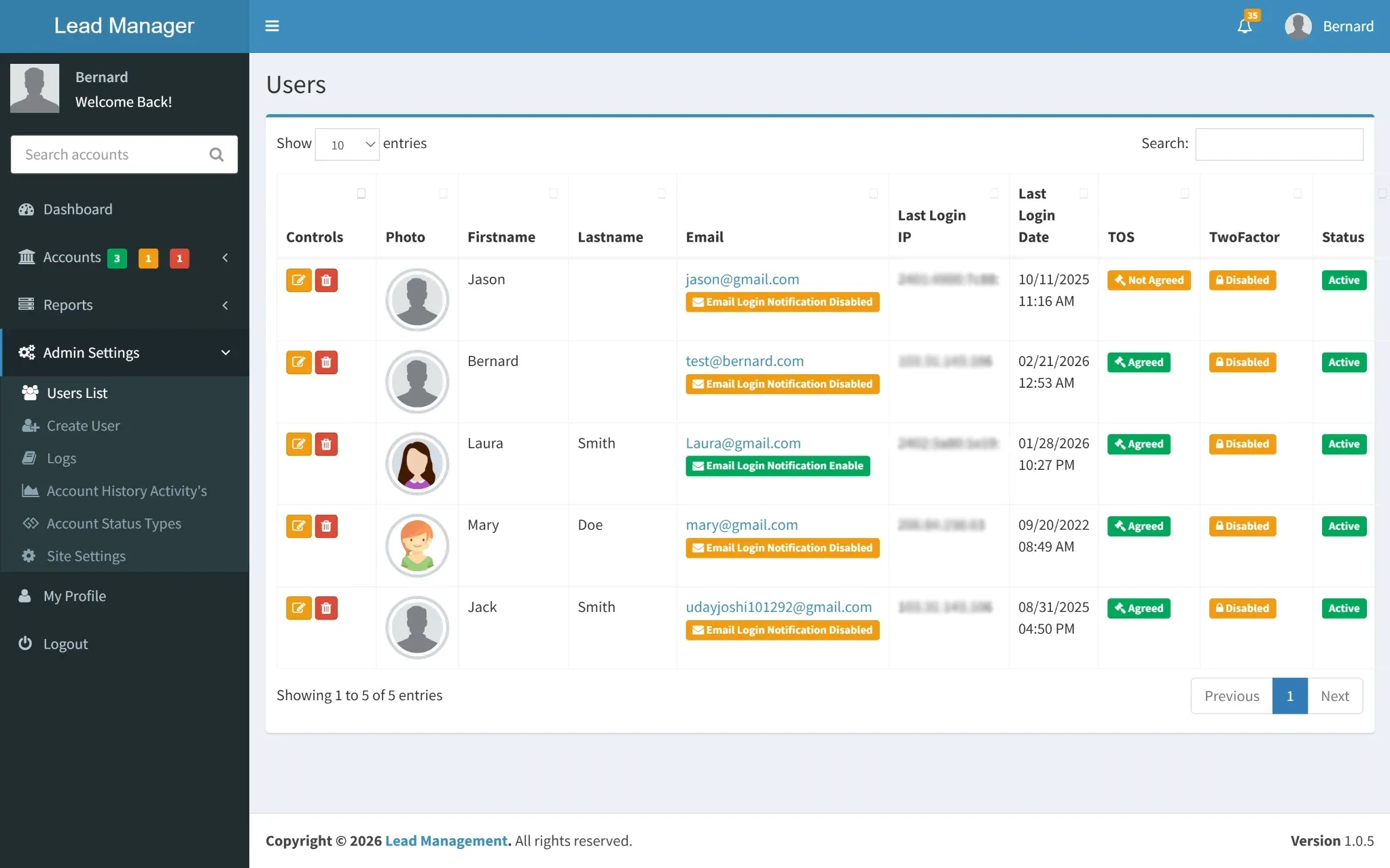
User Management Overview
A structured view of all system users with details such as profile information, login activity, security settings, and role status. This layout makes it easy to monitor access, manage permissions, and maintain system control efficiently.
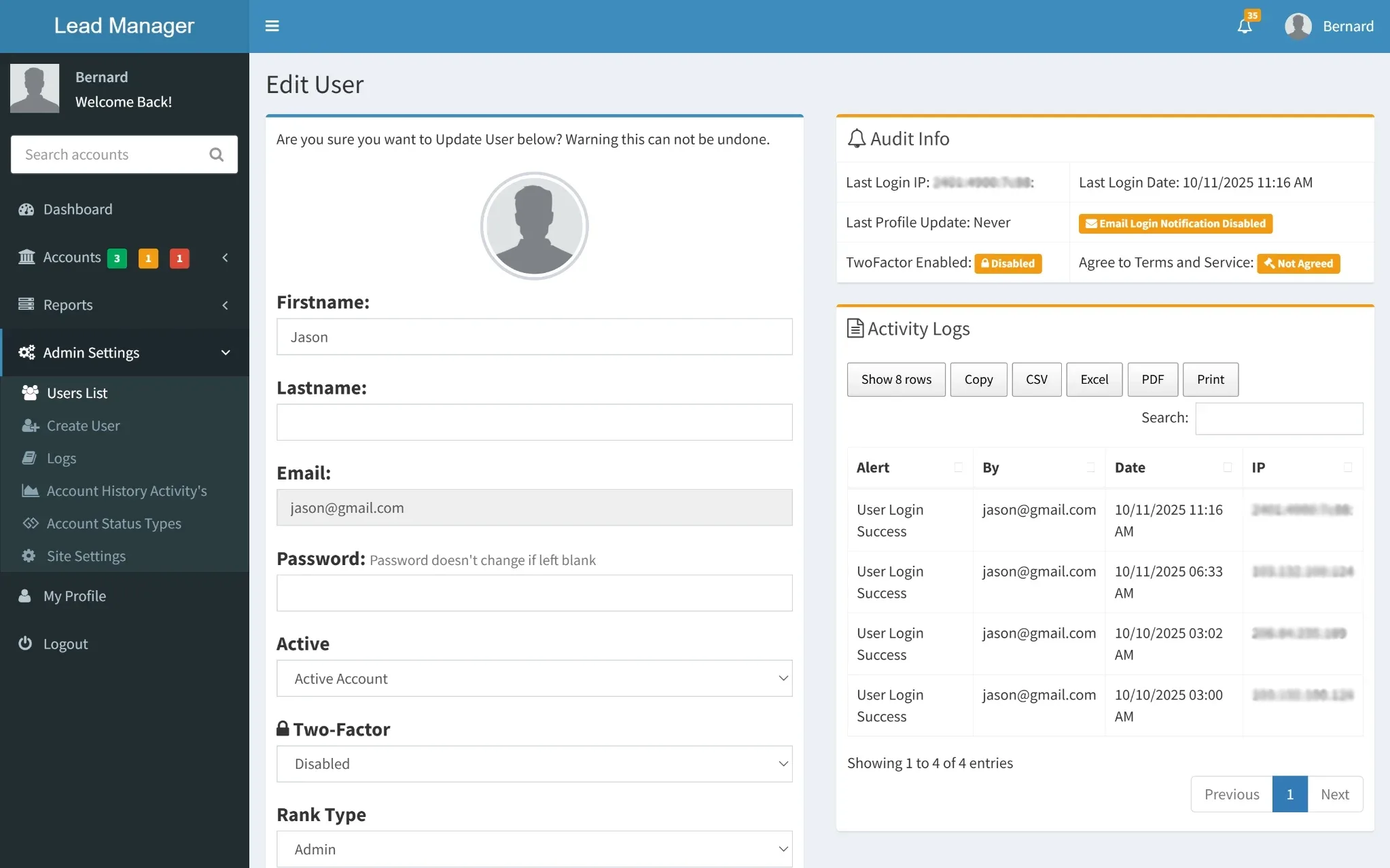
User Account Configuration
This section allows administrators to update and manage user information securely. It ensures account details and access settings remain accurate, controlled, and aligned with system requirements.
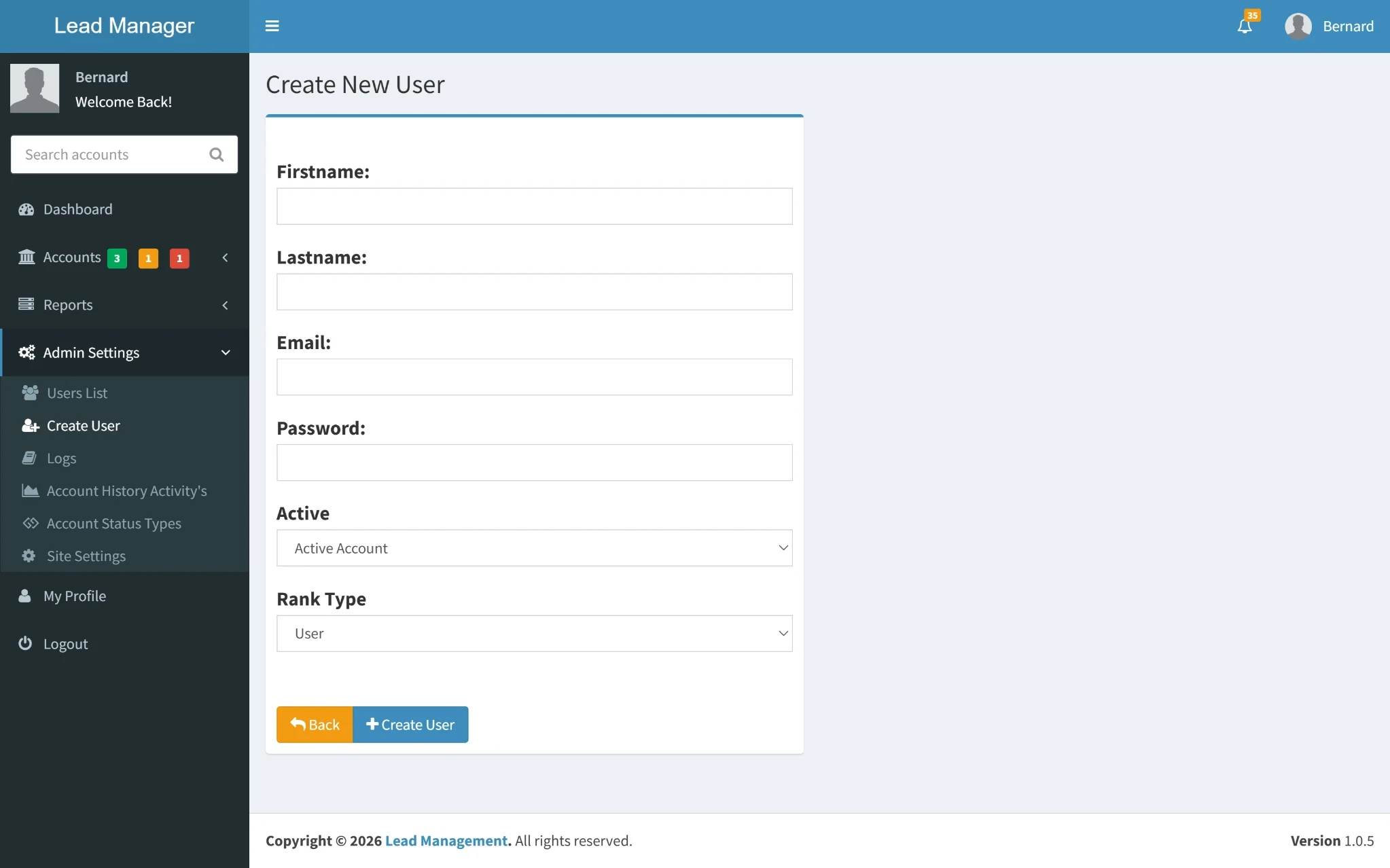
User Creation Panel
This screen enables administrators to add new users by entering essential details such as name, login credentials, and role type. It provides a simple and structured way to expand system access while maintaining clear role-based control.
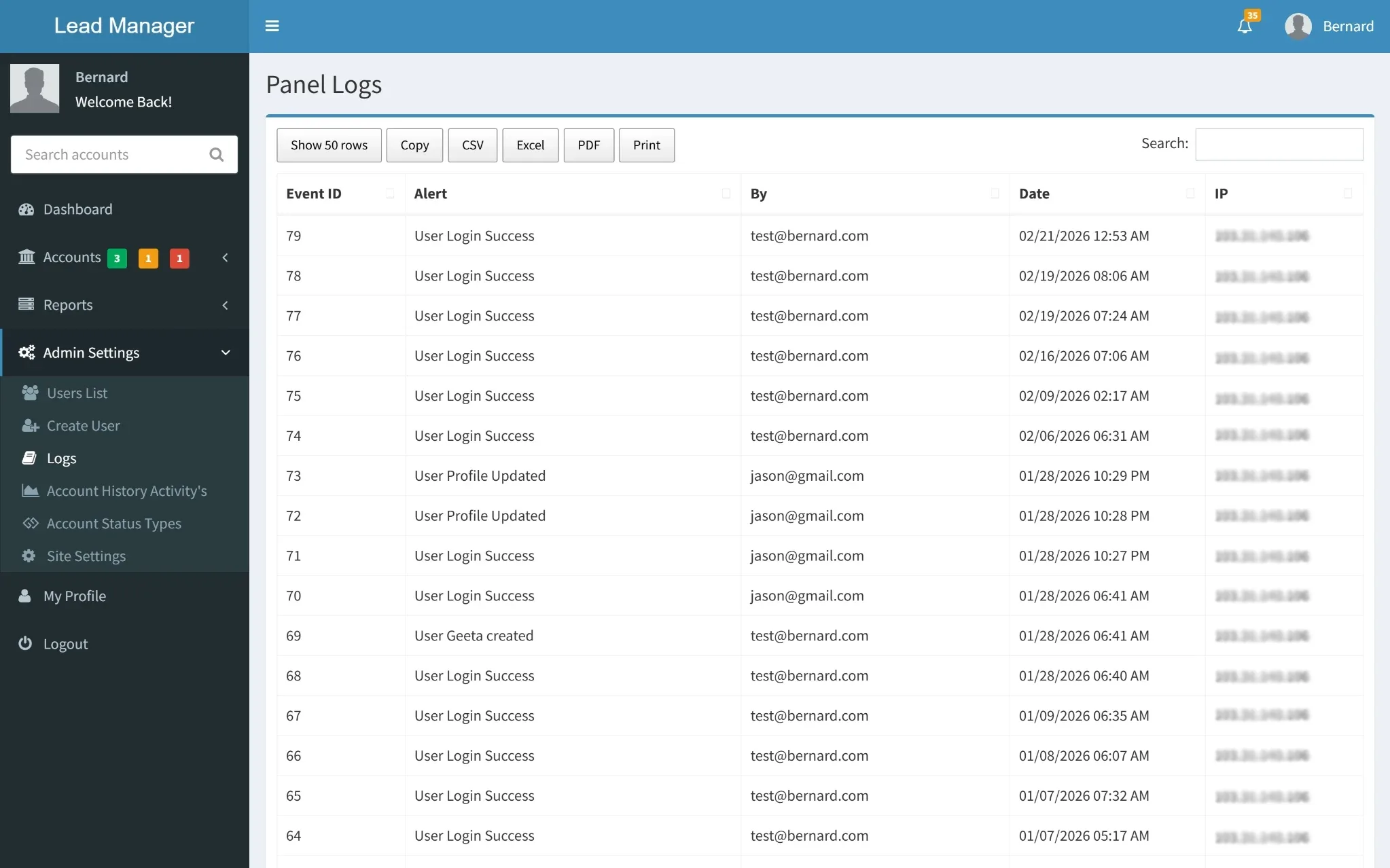
Access & Event Logs
A detailed record of system events showing login activity, user actions, timestamps, and IP addresses. With search functionality included, it allows quick tracking of system usage and enhances overall monitoring and security visibility.
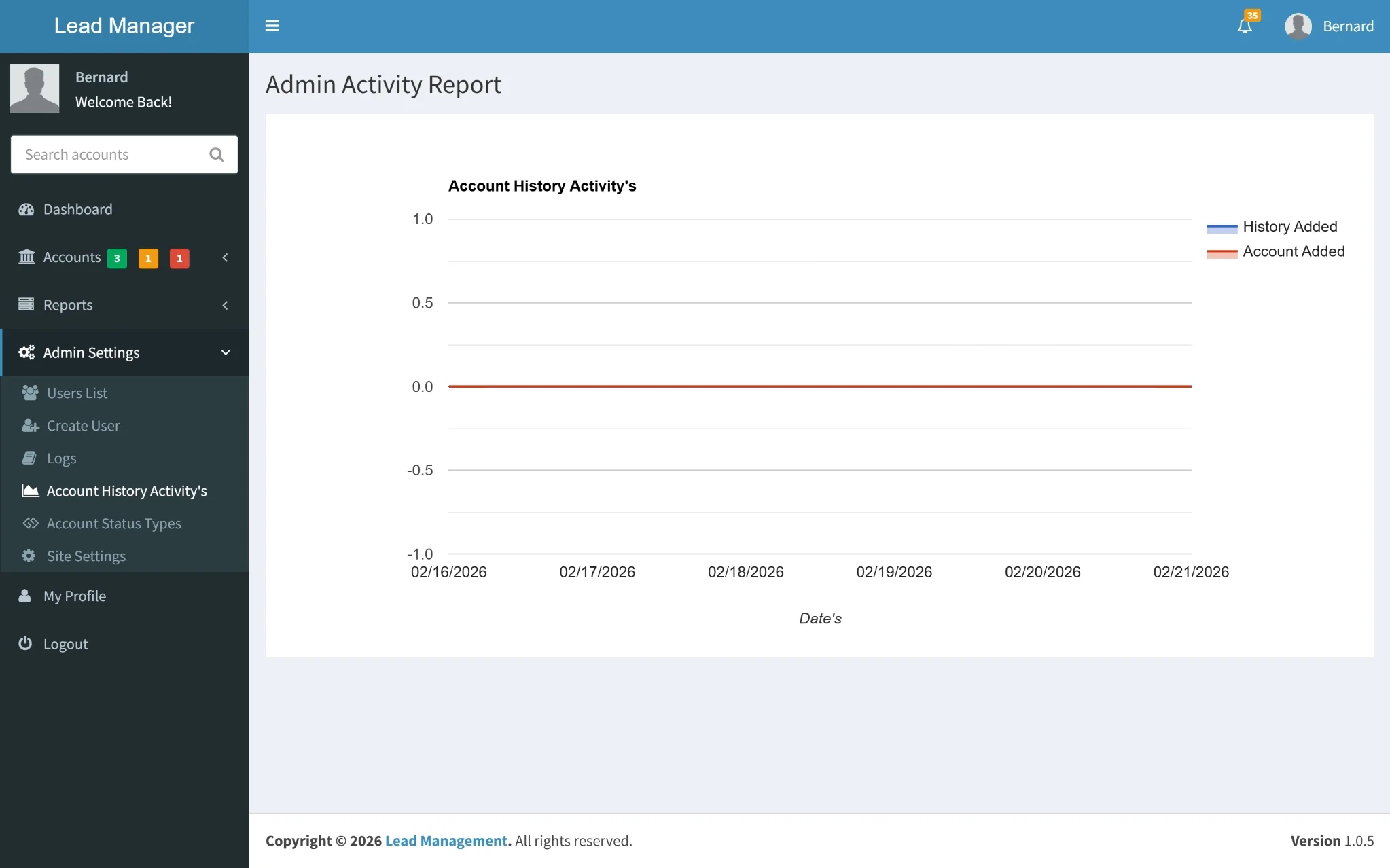
Admin Activity Analytics
A visual report showcasing key administrative actions such as account additions and history updates, supported by graphical insights and date wise tracking. This section helps monitor performance trends and overall system activity at a glance.
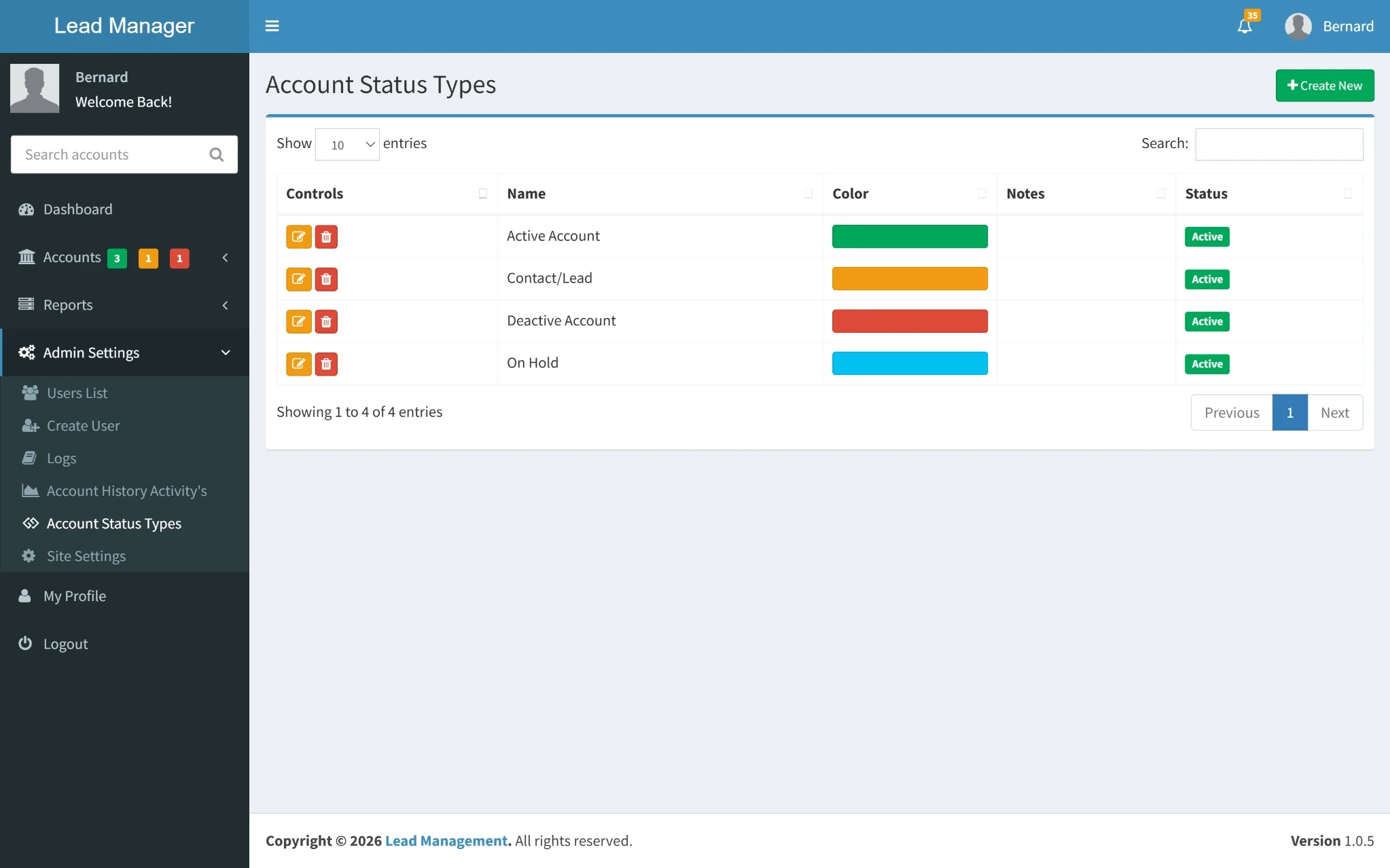
Account Status Configuration
This section displays the different account status types used within the system, along with their labels and visual indicators. It helps maintain a clear classification of accounts and ensures consistent status tracking across the platform.
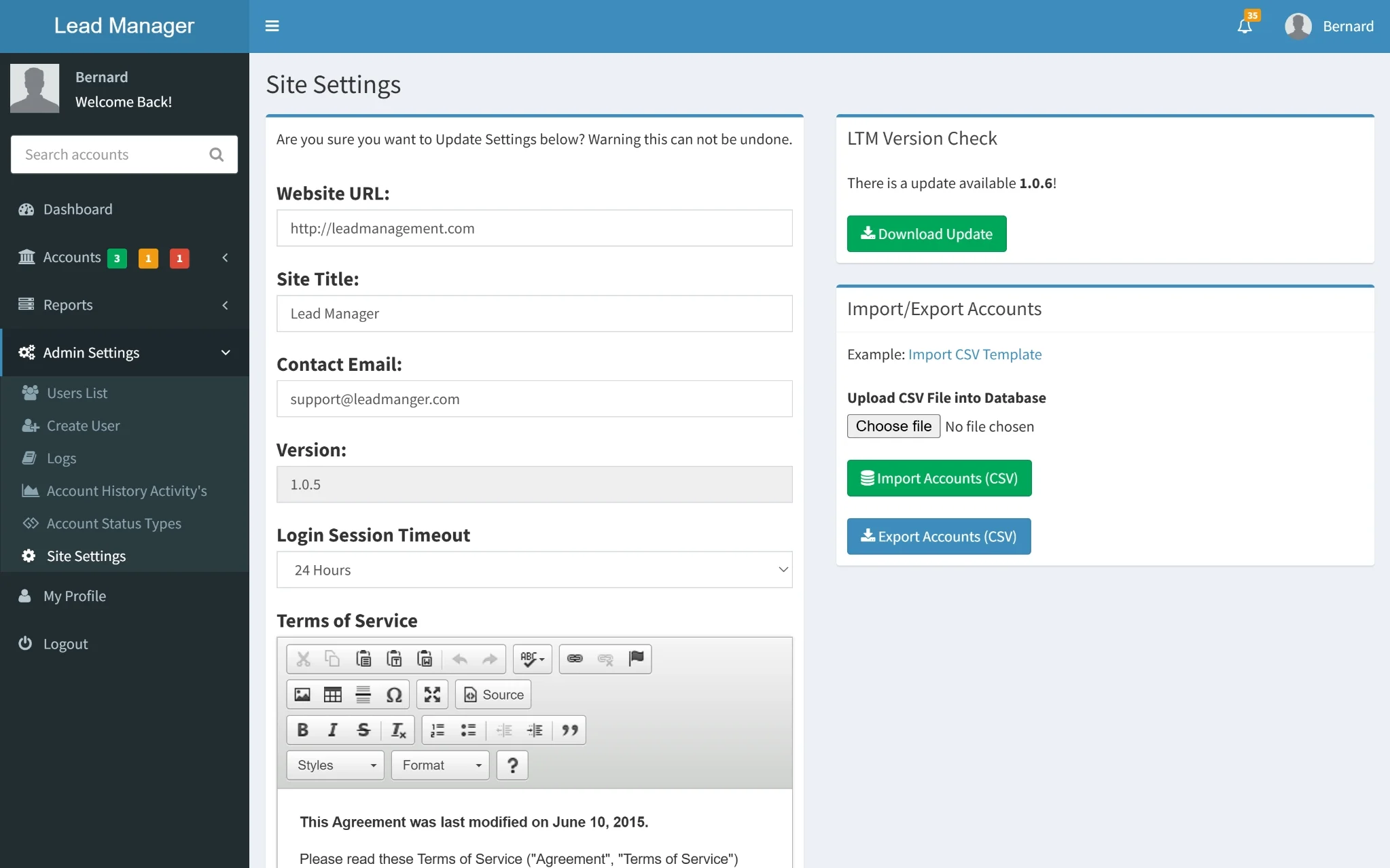
System Settings & Configuration
A centralized settings panel where core system details such as website information, session limits, version updates, and contact details can be managed. It also includes account import and export options, making data handling and system configuration simple and controlled from one place.
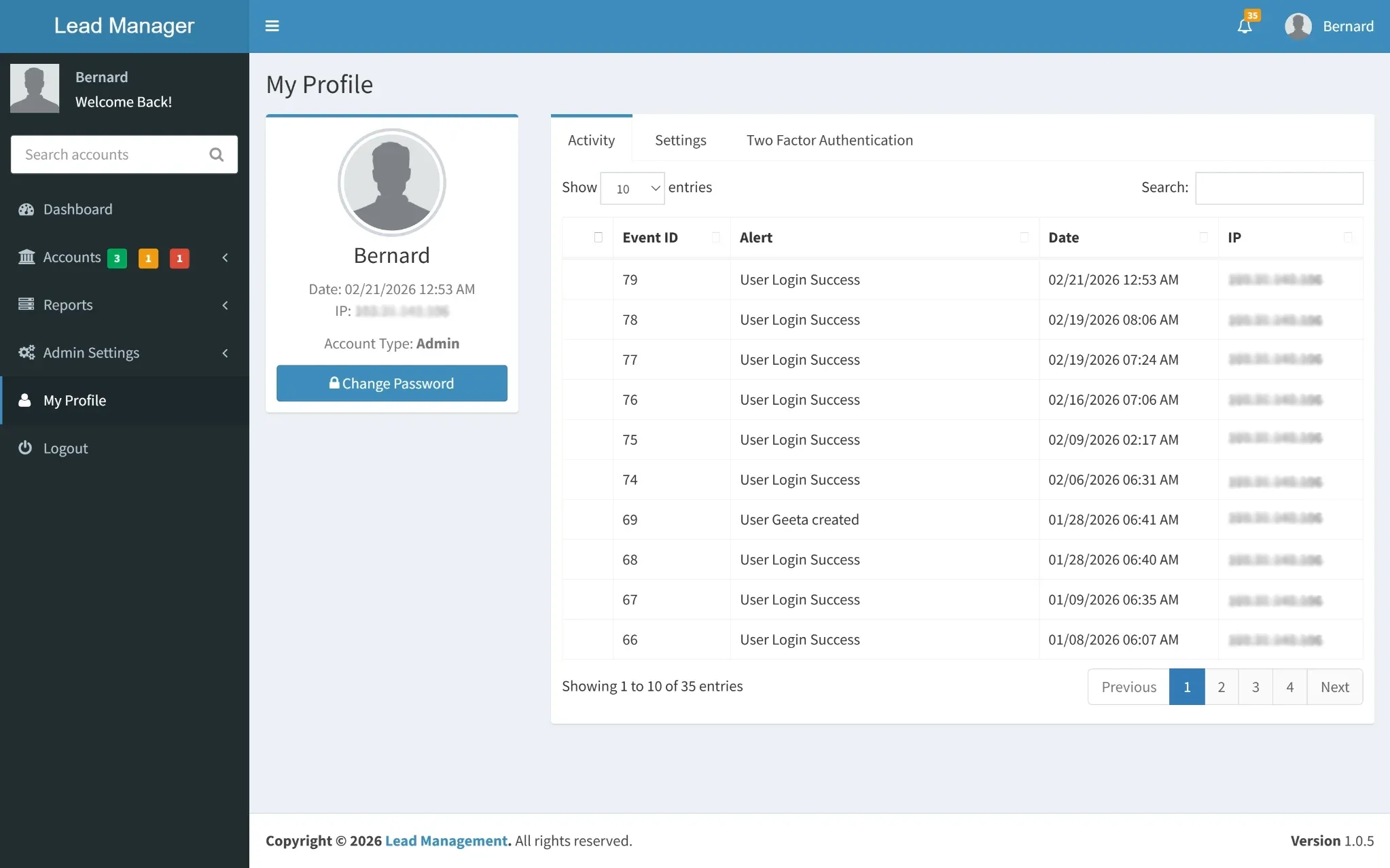
Profile & Security Overview
A personalized profile section displaying user details, account type, and recent login activity with timestamps and IP records. It also provides access to security settings, including two-factor authentication, ensuring better control and protection of the account.
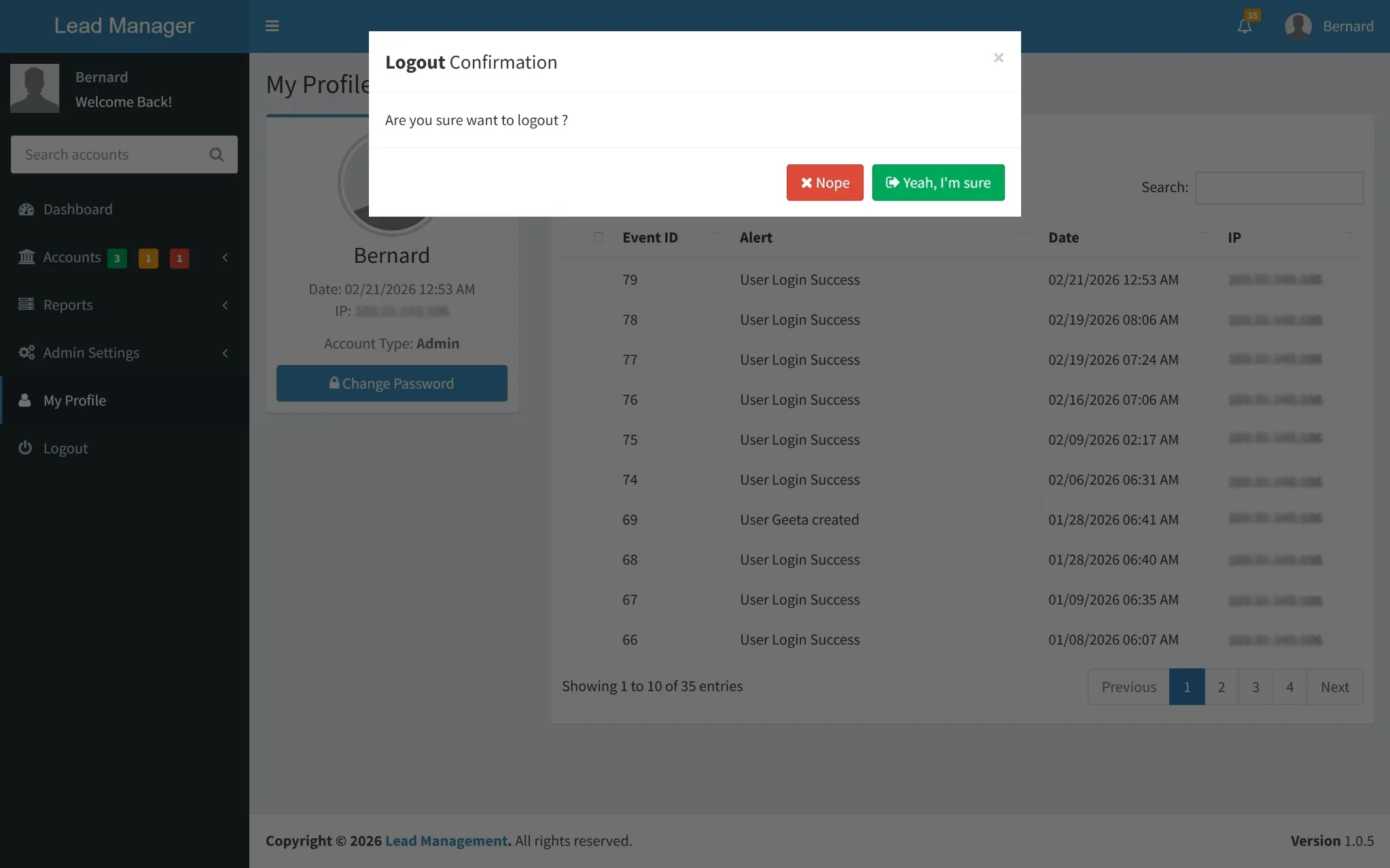
Logout Confirmation
A simple confirmation screen that ensures the user intentionally ends their session before logging out. This added step helps prevent accidental sign-outs while maintaining secure session management.
Purpose
• Built to streamline lead tracking and account management, this web application reduces manual follow-ups and scattered data handling.
• It enables teams to organize contacts efficiently, monitor account progress, and respond to leads without delays.
• By centralizing customer information and activity history, the system improves coordination, increases conversion opportunities, and ensures no potential client is overlooked.
Modules
• Structured into essential operational sections, the platform includes Account Management for tracking leads and customer details.
• User Management for handling roles and access control, Activity Logs for monitoring system actions.
• Settings for configuration and data control. Together, these modules create a well organized workflow that keeps teams aligned and operations running smoothly.
Features
• Equipped with practical business tools, the system allows users to add, edit, and categorize accounts, maintain detailed interaction timelines, and monitor follow ups through reminders.
• Advanced search, export options, and status tracking make data management simple and efficient.
• Secure login, audit logs, and role based access ensure system integrity while real time activity insights help administrators make informed decisions.


