
Patient Management System
Patient Management System
A comprehensive hospital administration tool to manage patients, appointments, billing, and doctor scheduling, built for seamless healthcare workflows.
Technology Used
-

PHP
-

mySQL
-

HTML
-

CSS
-

Javascript

Easy Navigation Panel
A neatly arranged workspace where staff can manage patient details, prescriptions, users, and examinations without any clutter. Every essential function sits within easy reach, making day-to-day operations calm, quick, and organised.
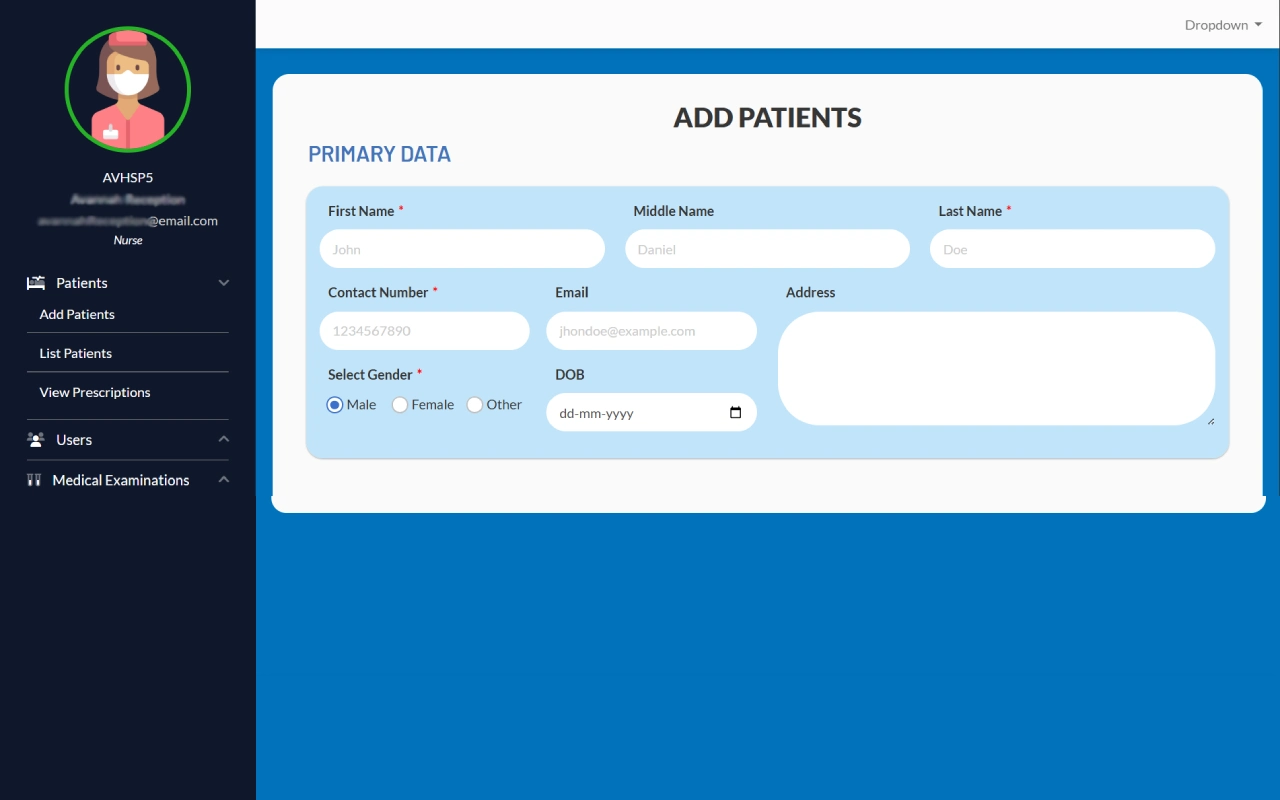
Primary Patient Details
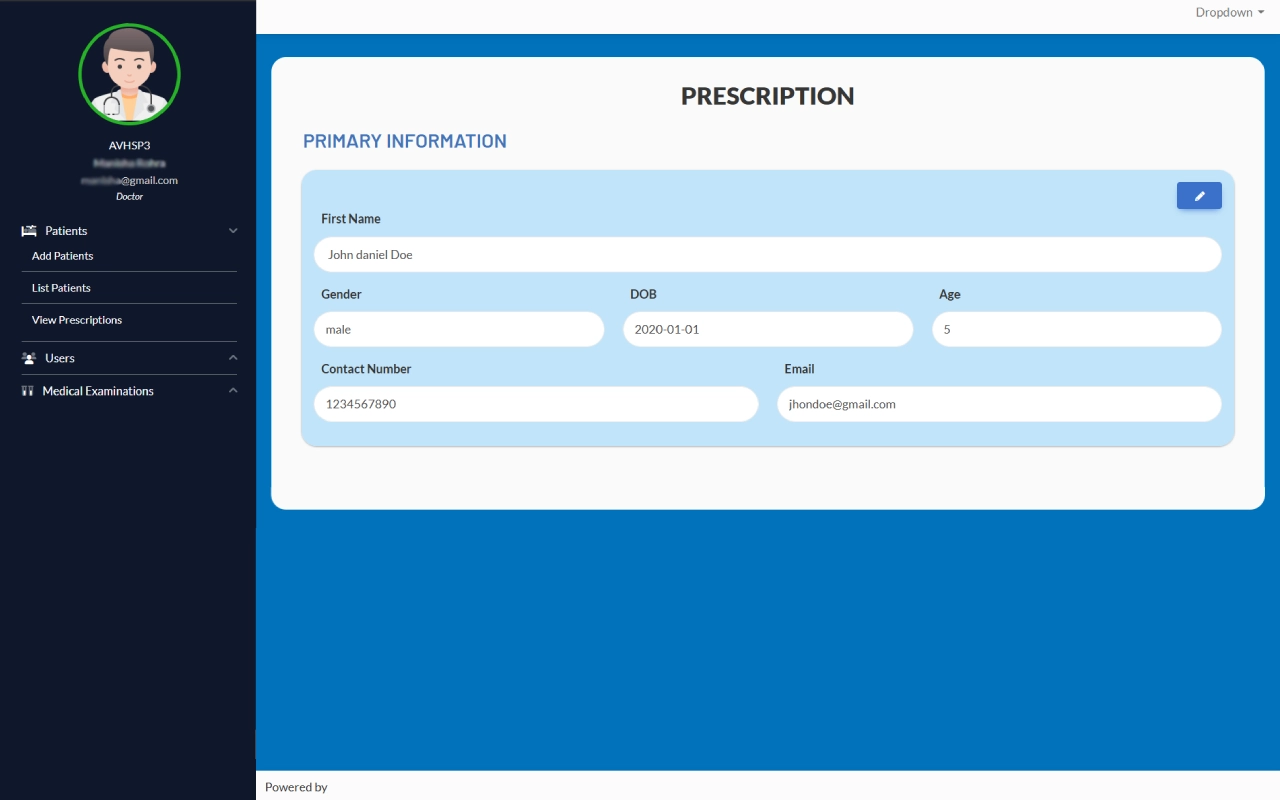
A simple and structured form that lets receptionists quickly record a patient’s essential details with accuracy. Every field is organized clearly, making the registration process smooth and hassle-free for both staff and patients.
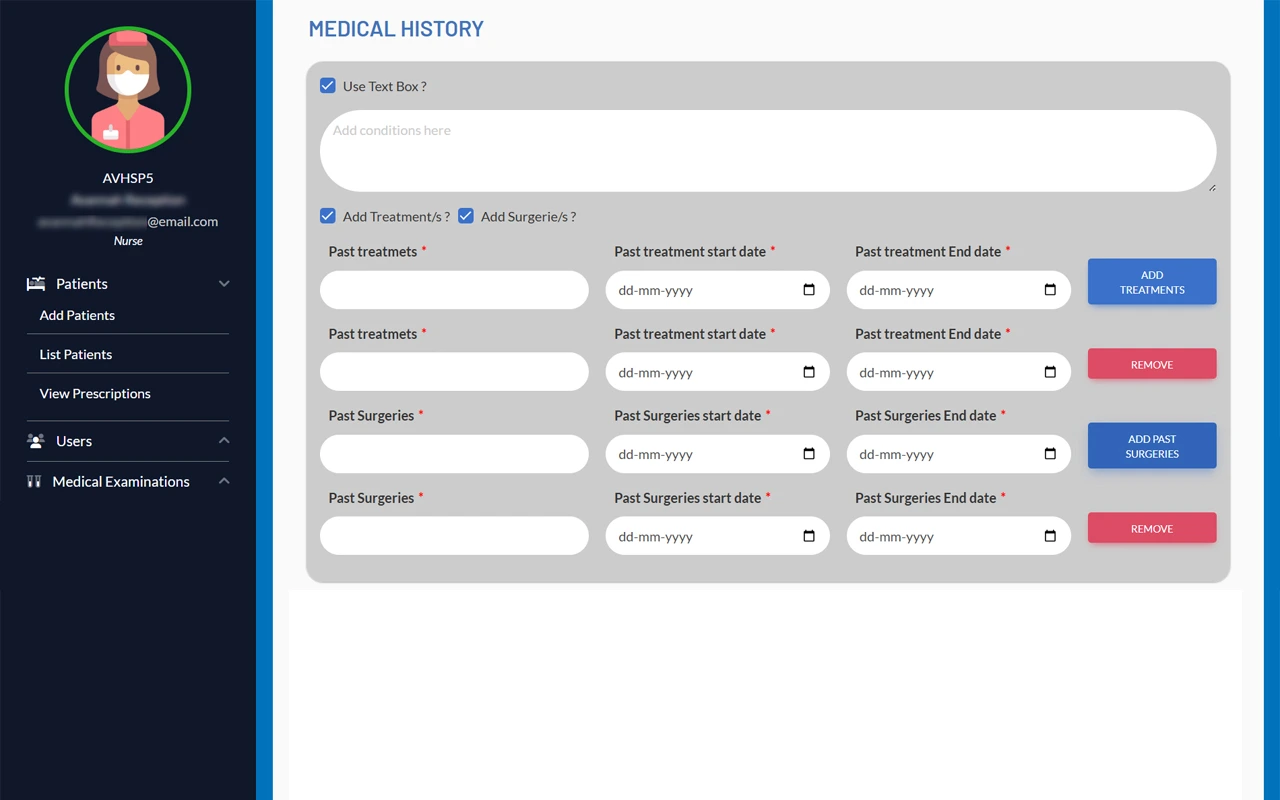
Medical History Form
A dedicated space to record a patient’s medical background, including past treatments and surgeries. The structured layout ensures important health information is easy to reference and update when needed.
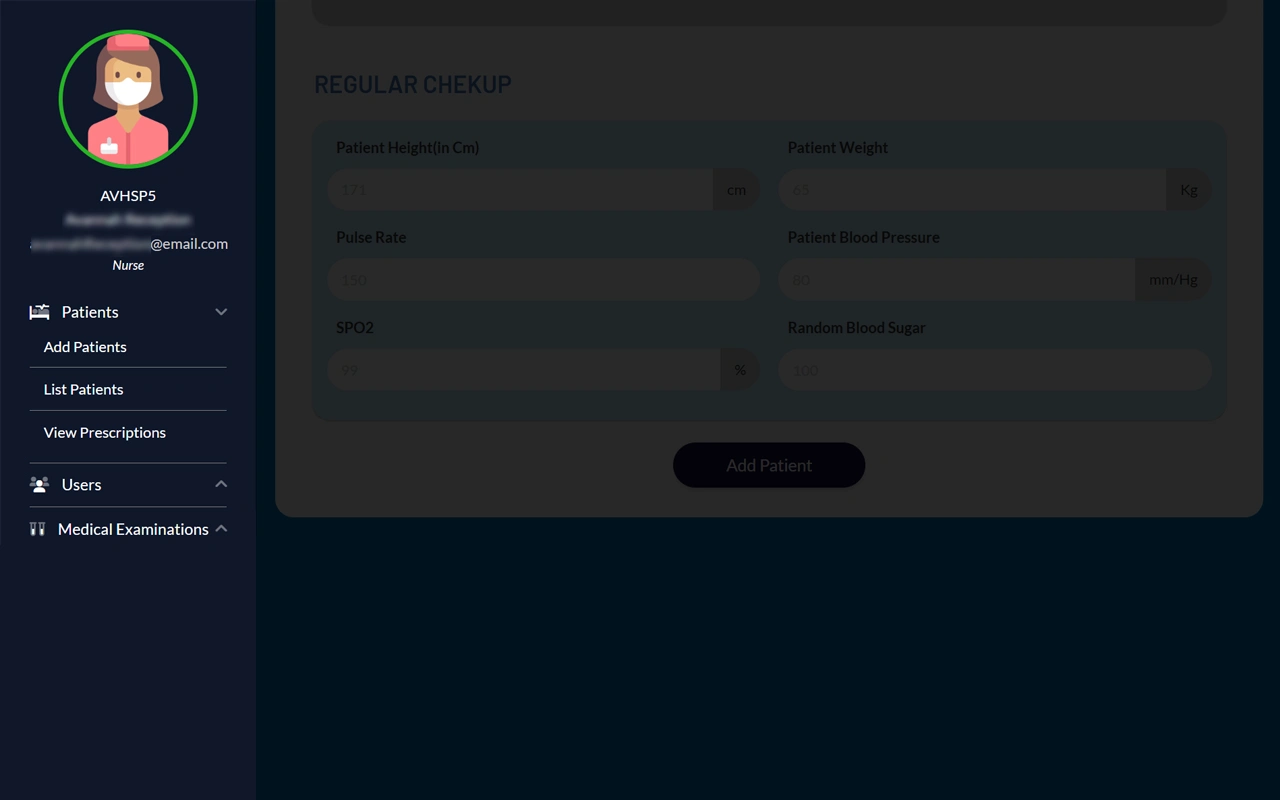
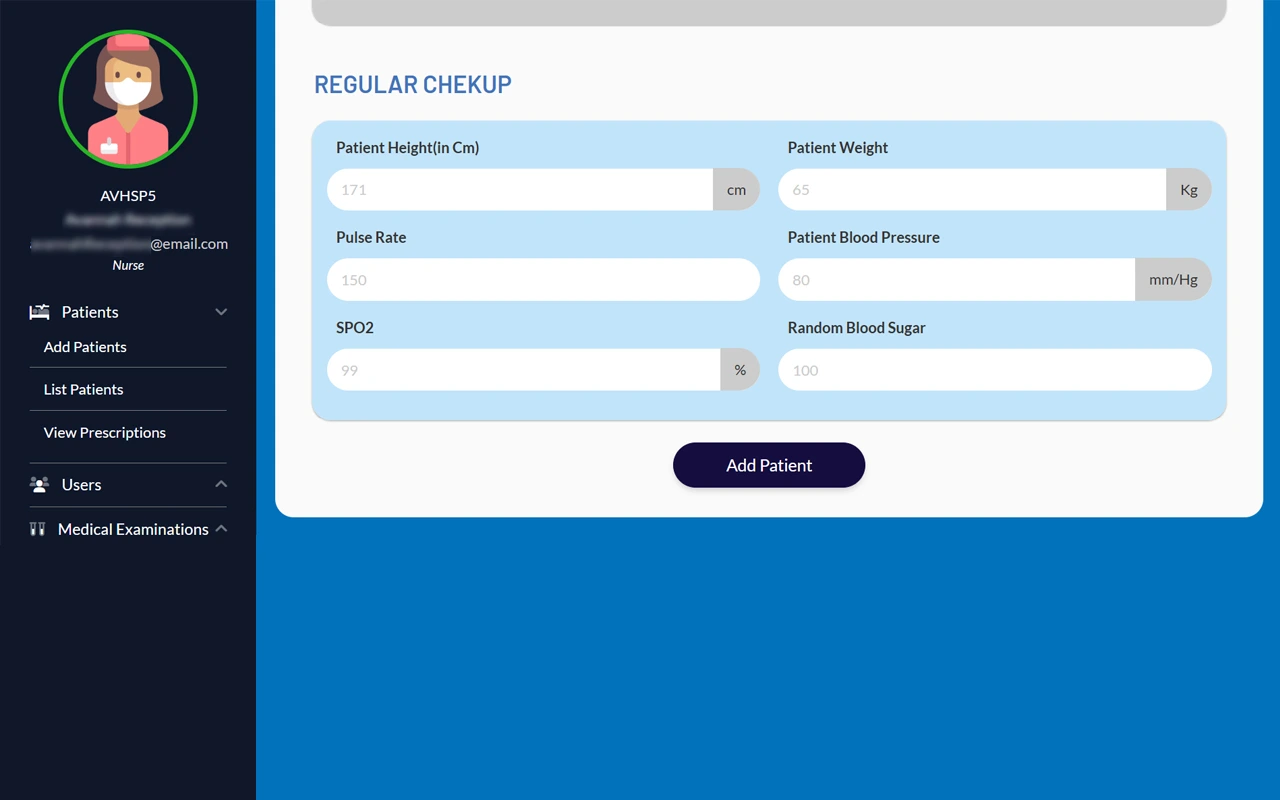
Health Check Details
This section helps record basic health details like height, weight, pulse, blood pressure, and oxygen levels. It keeps essential information easy to track for every patient.
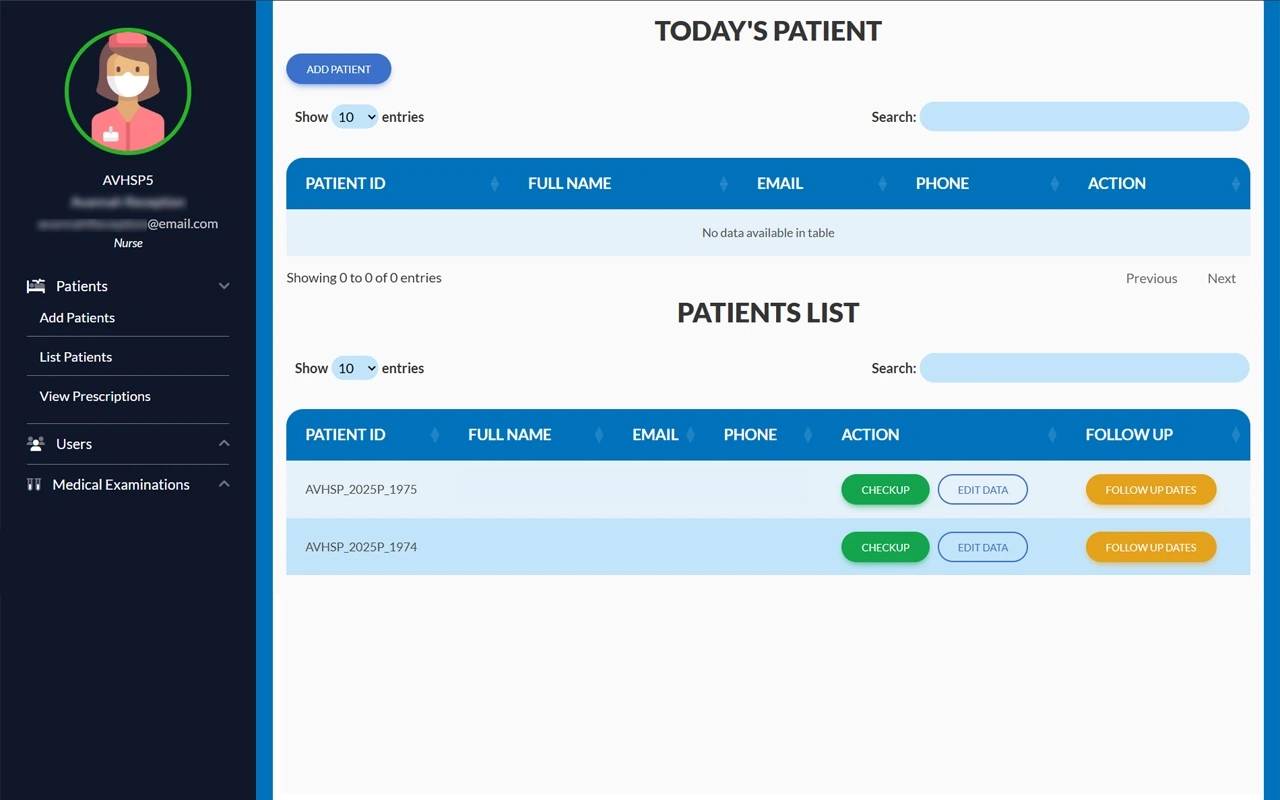
Patient Overview
A clear and organized list of all patients showing their ID, name, contact details, and follow-up status. It makes finding and managing patient information quick and hassle-free.
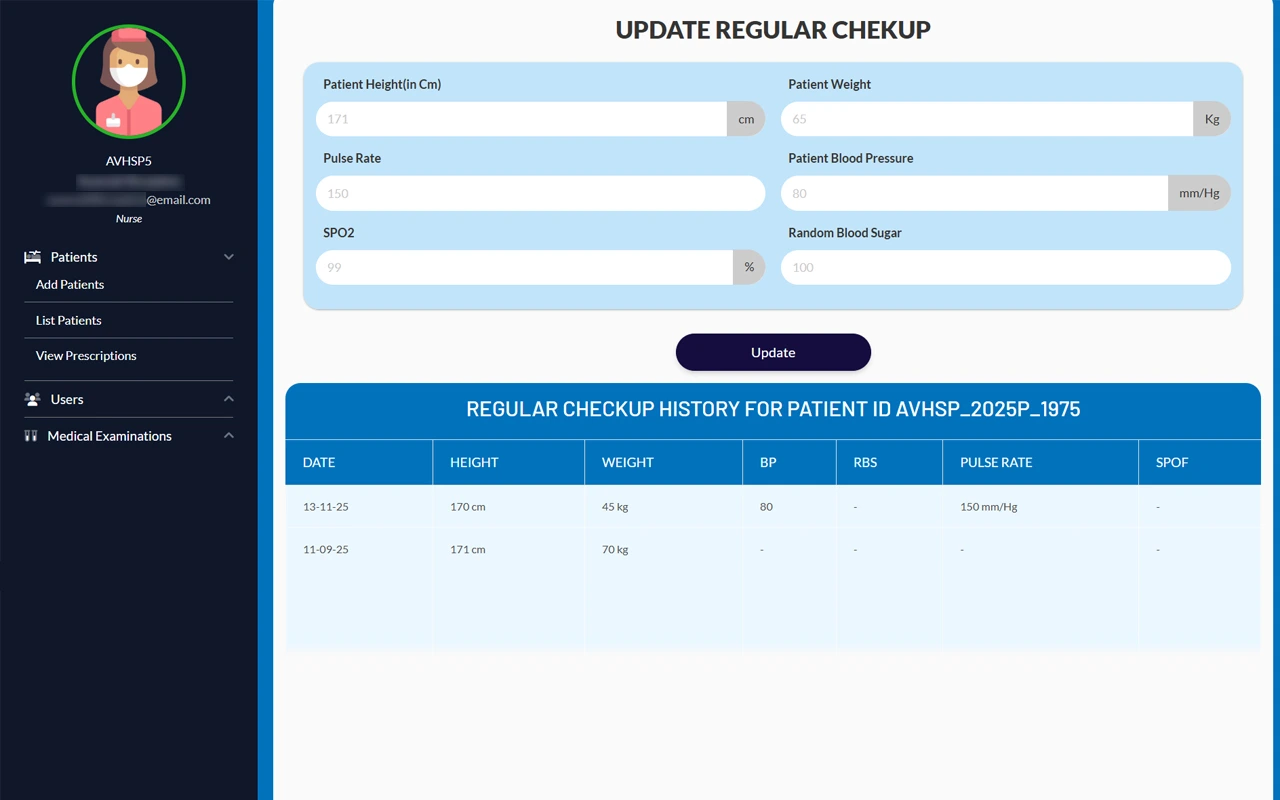
Patient Health Updates
This section allows staff to update a patient’s latest health details and track their checkup history over time. All past records are displayed clearly, making it easy to monitor progress and spot trends.
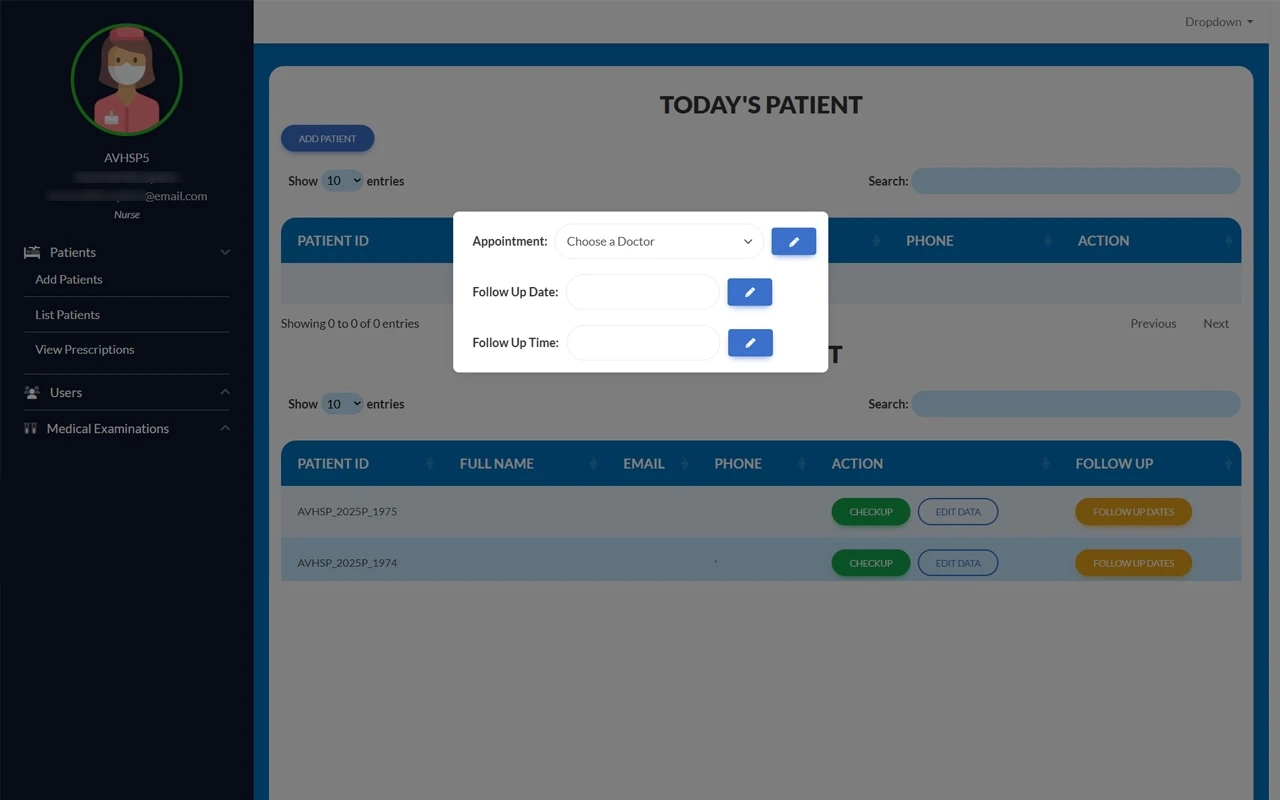
Follow-Up Scheduling
This section lets staff set up patient follow-up appointments by selecting a doctor and specifying the date and time. It ensures timely care and keeps the patient’s schedule organized.
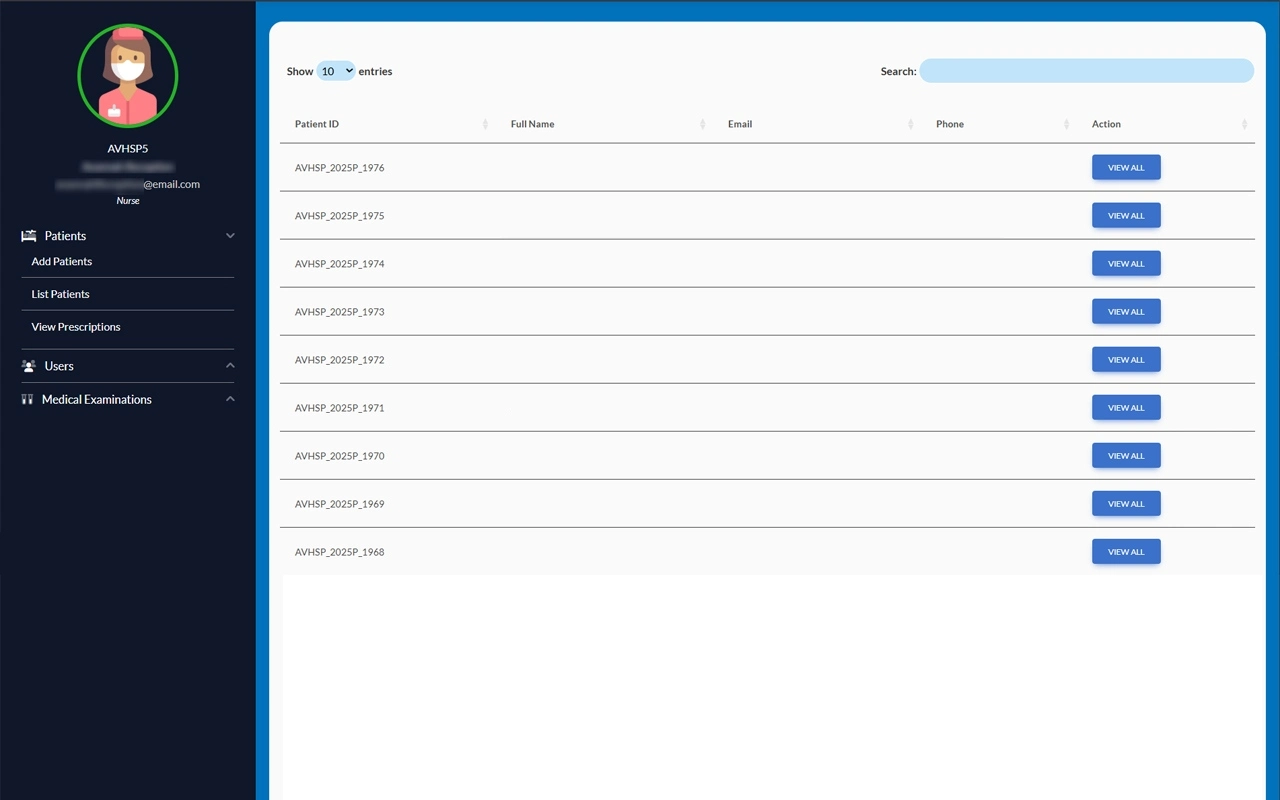
Prescription Records
This section provides an organized view of all patient prescriptions, including ID, name, and contact details. It allows staff to easily review, track, and manage prescriptions for accurate and timely patient care.
Prescription Details
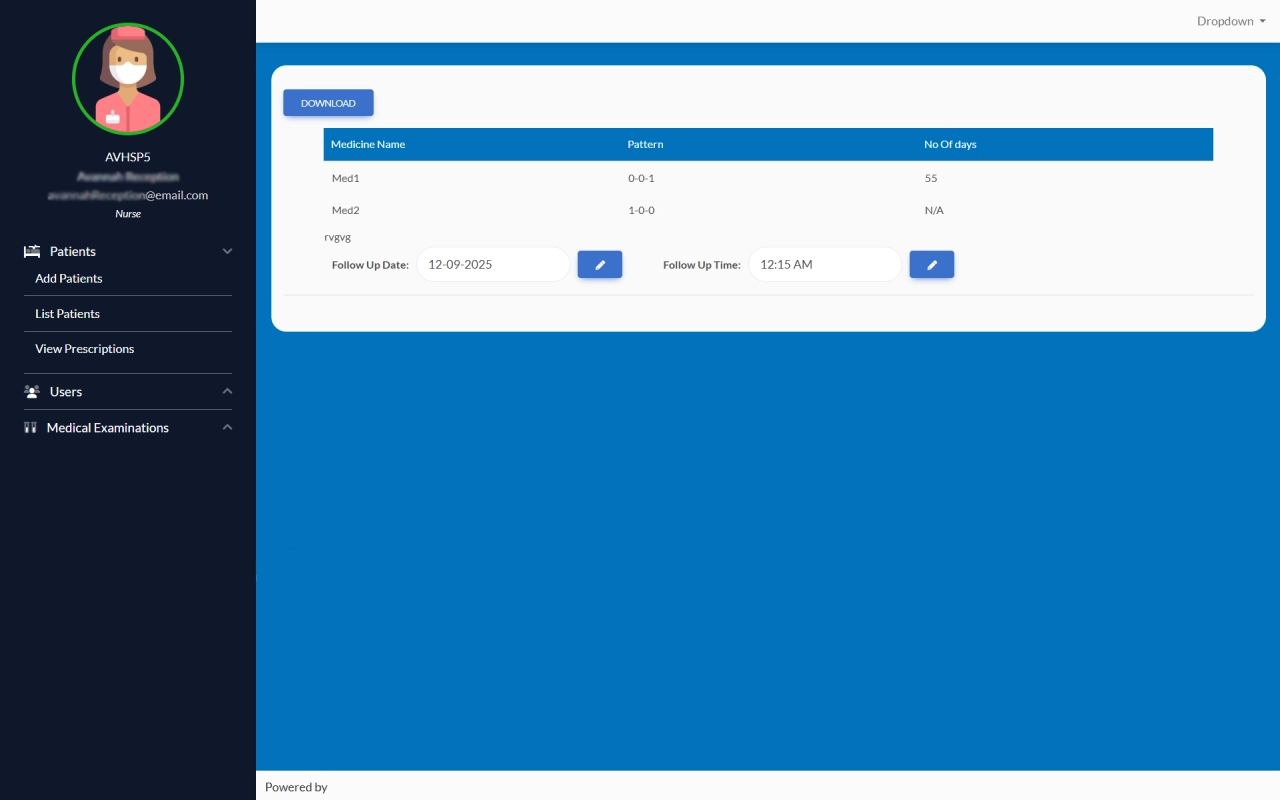
Here, the receptionist can see the full prescription for each patient, including medicine names, dosage, and duration. This organized layout ensures accurate administration and helps track treatment plans efficiently.
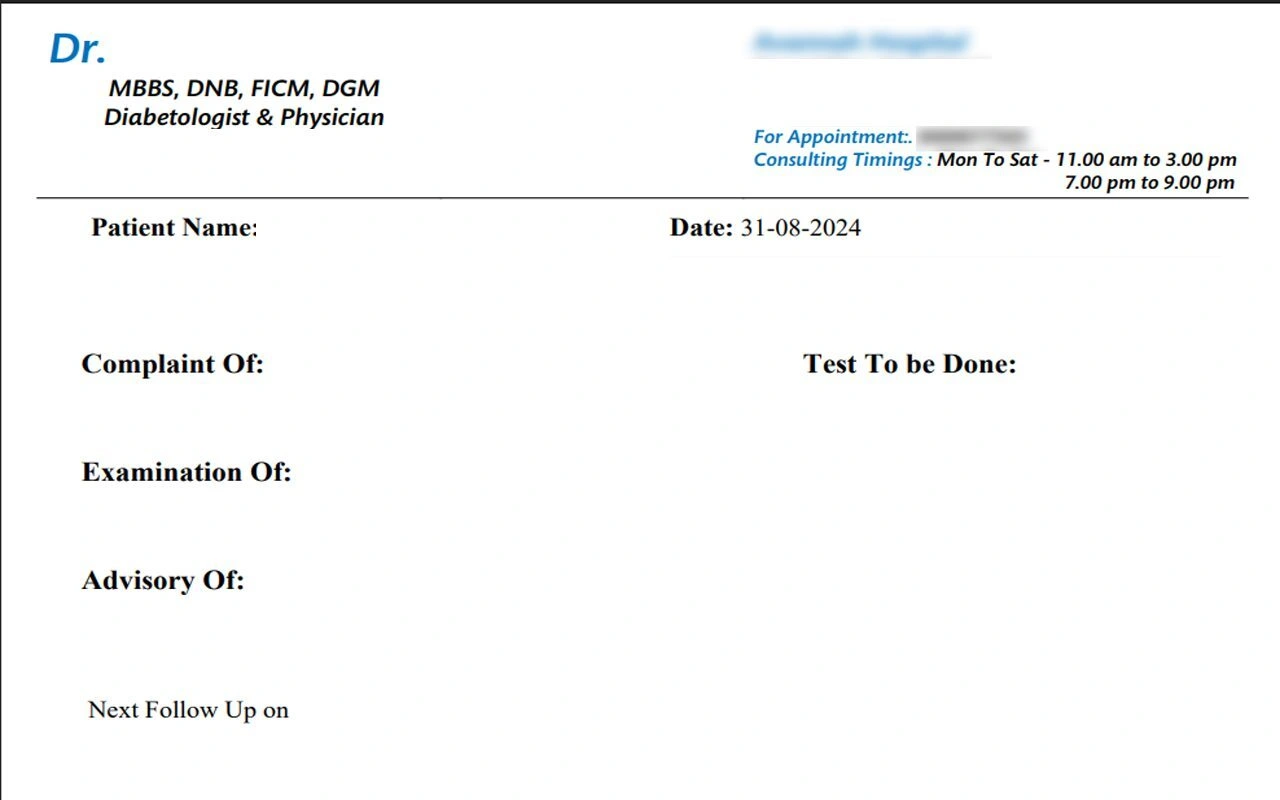
Download Prescription
Each prescription is presented clearly with the official letterhead and doctor details, providing a professional layout that is easy to read, reference, and maintain. It is also available in PDF format for convenient access and sharing.
View Prescription
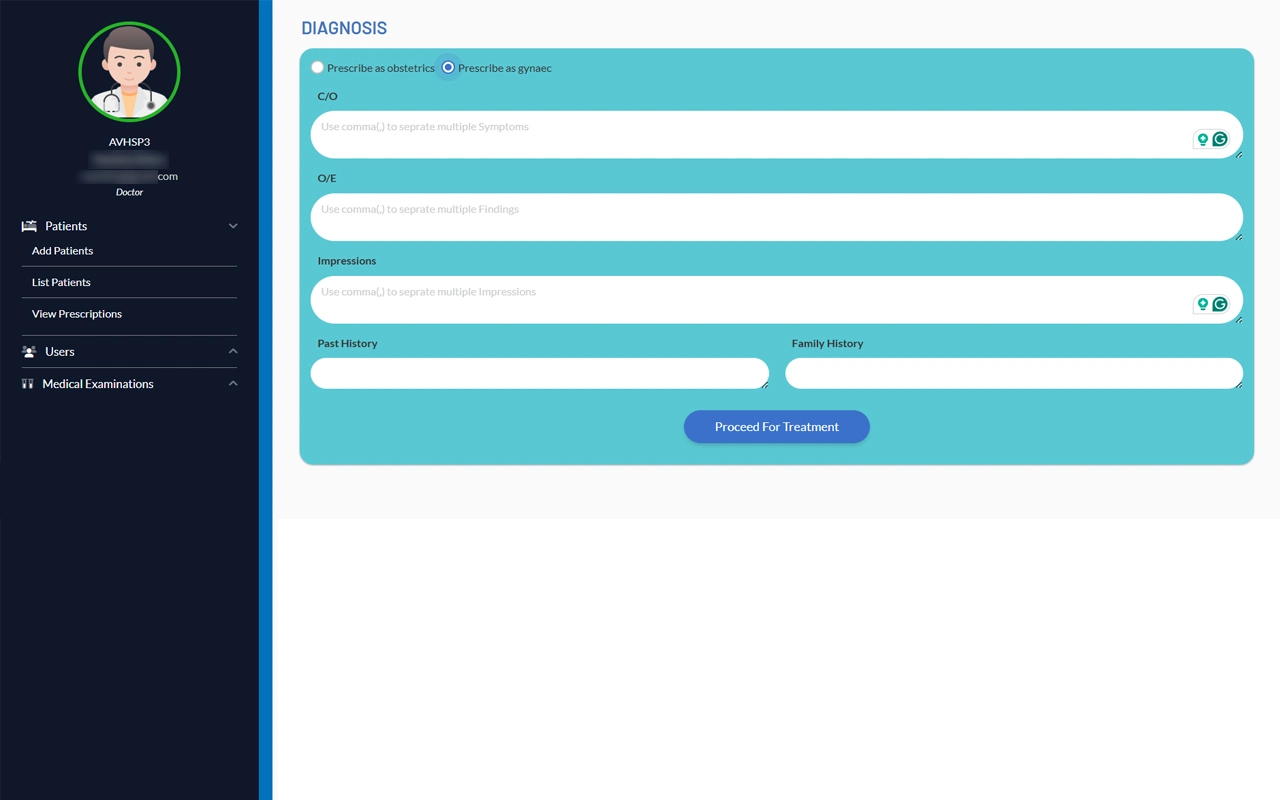
Diagnosis & Treatment Form
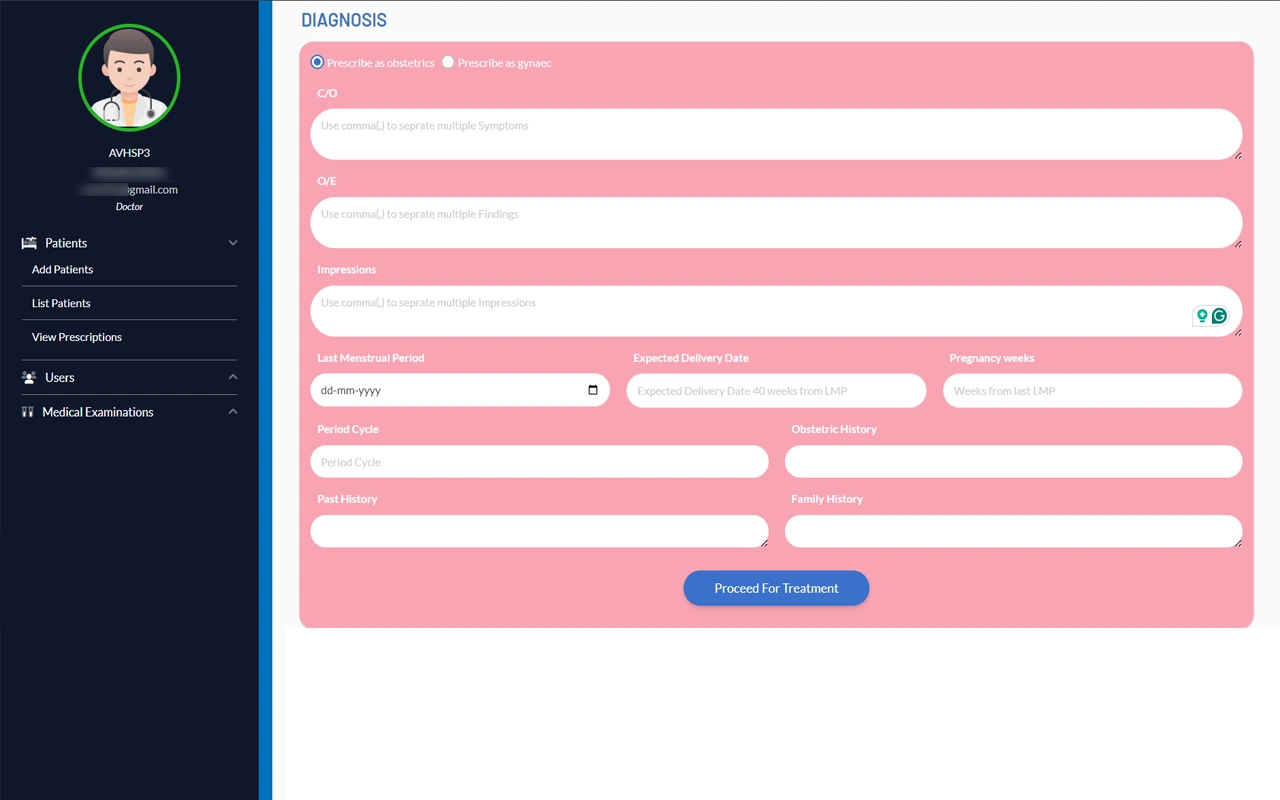
A specialized form for gynecological and obstetric cases that allows staff to record symptoms, findings, impressions, and relevant patient history. The interface is clear and intuitive, guiding users to input all necessary details before proceeding with treatment.
Comprehensive Medical History
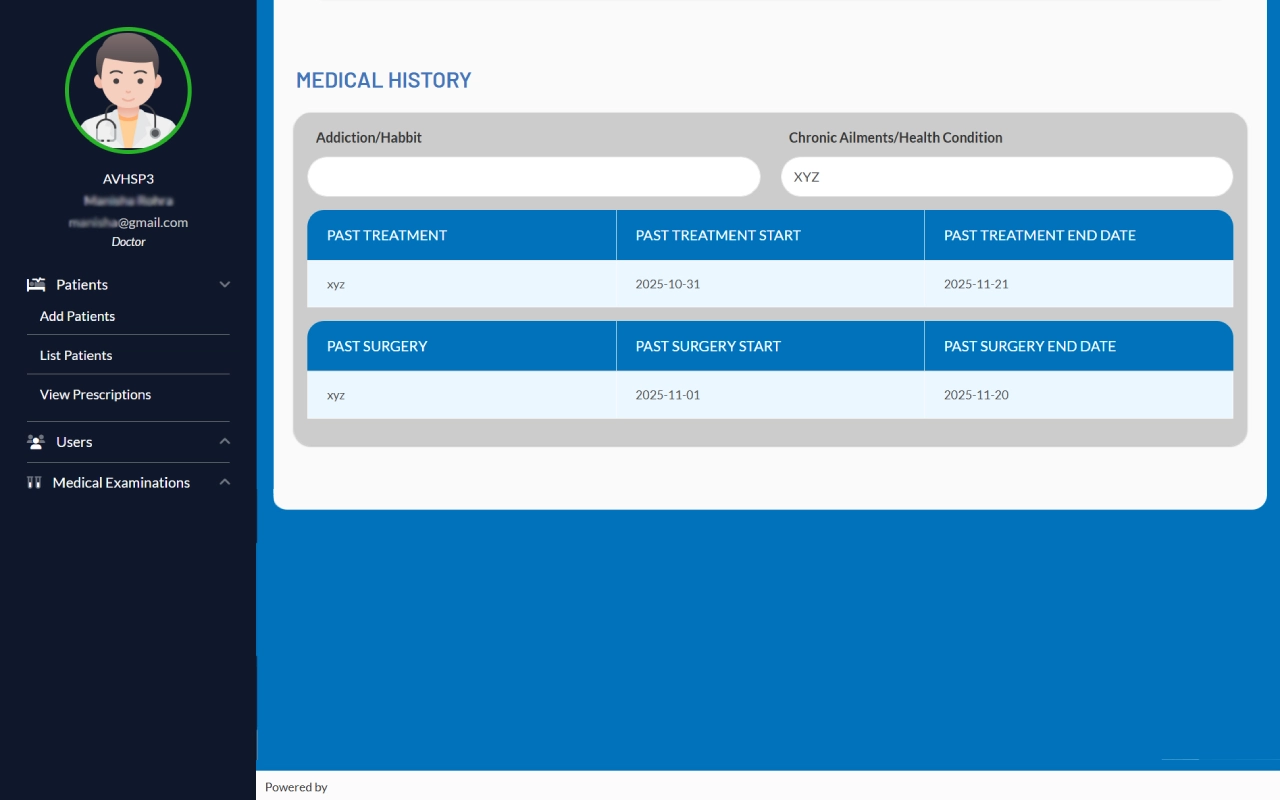
This section captures a patient’s complete medical background, including habits, chronic conditions, past treatments, and surgeries. All information is organized clearly, making it easy for staff to review and provide informed care.
Diagnosis
A dedicated form for gynecology and obstetrics, allowing staff to record symptoms, clinical findings, impressions, and patient history. The structured layout ensures all relevant details are captured accurately for effective treatment planning.
Download
Each prescription is presented clearly with the official letterhead and doctor details, providing a professional layout that is easy to read, reference, and maintain. It is also available in PDF format for convenient access and sharing.
Navigation
A central hub for the super admin to oversee the platform, manage users, and monitor patient information. It provides a complete overview of activities, ensuring smooth administration and easy access to essential data.
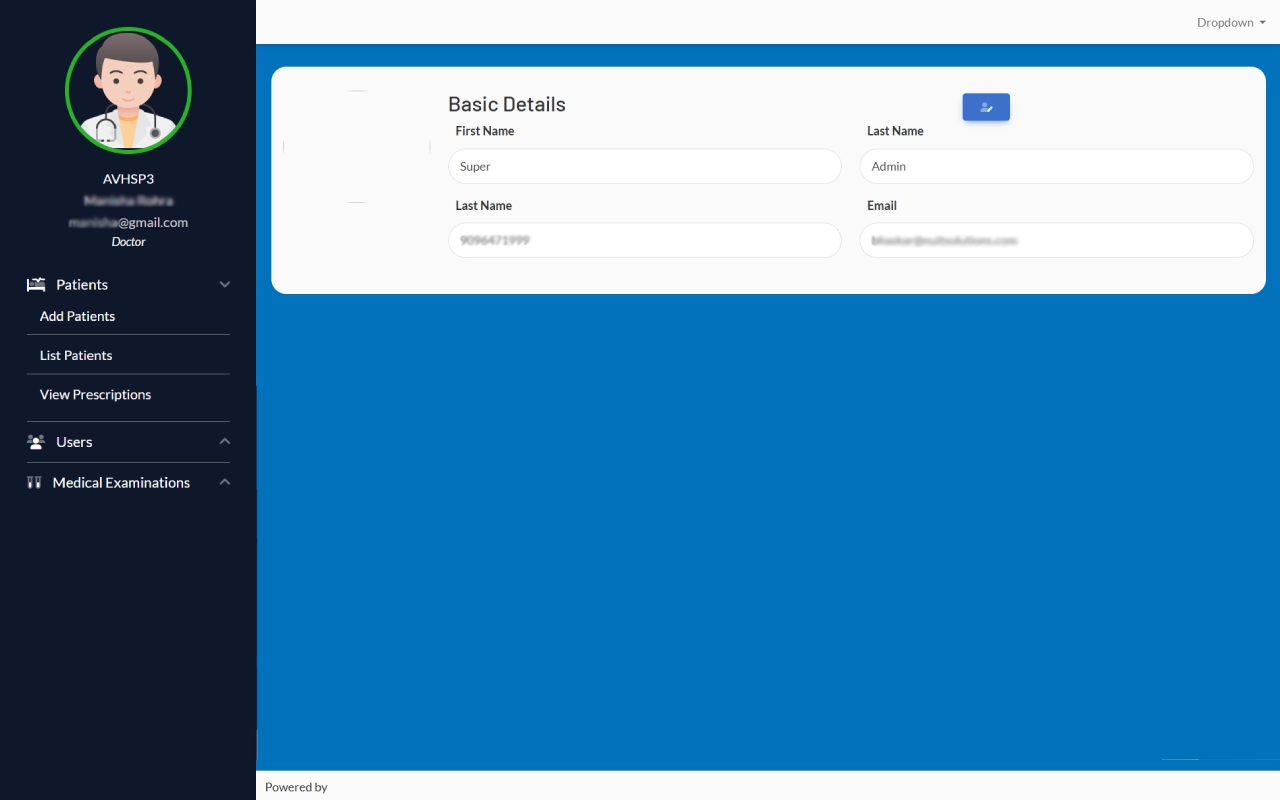
Super Admin Account
A clear and simple dashboard where the super admin can view and update their basic details, including name, contact information, and email. This ensures profile information is always accurate and up to date.
List Patients
A comprehensive view of all patients where the super admin can access IDs, names, contact details, and follow-up schedules. From reviewing prescriptions to updating checkups, every essential action is available in one organized interface for efficient management.
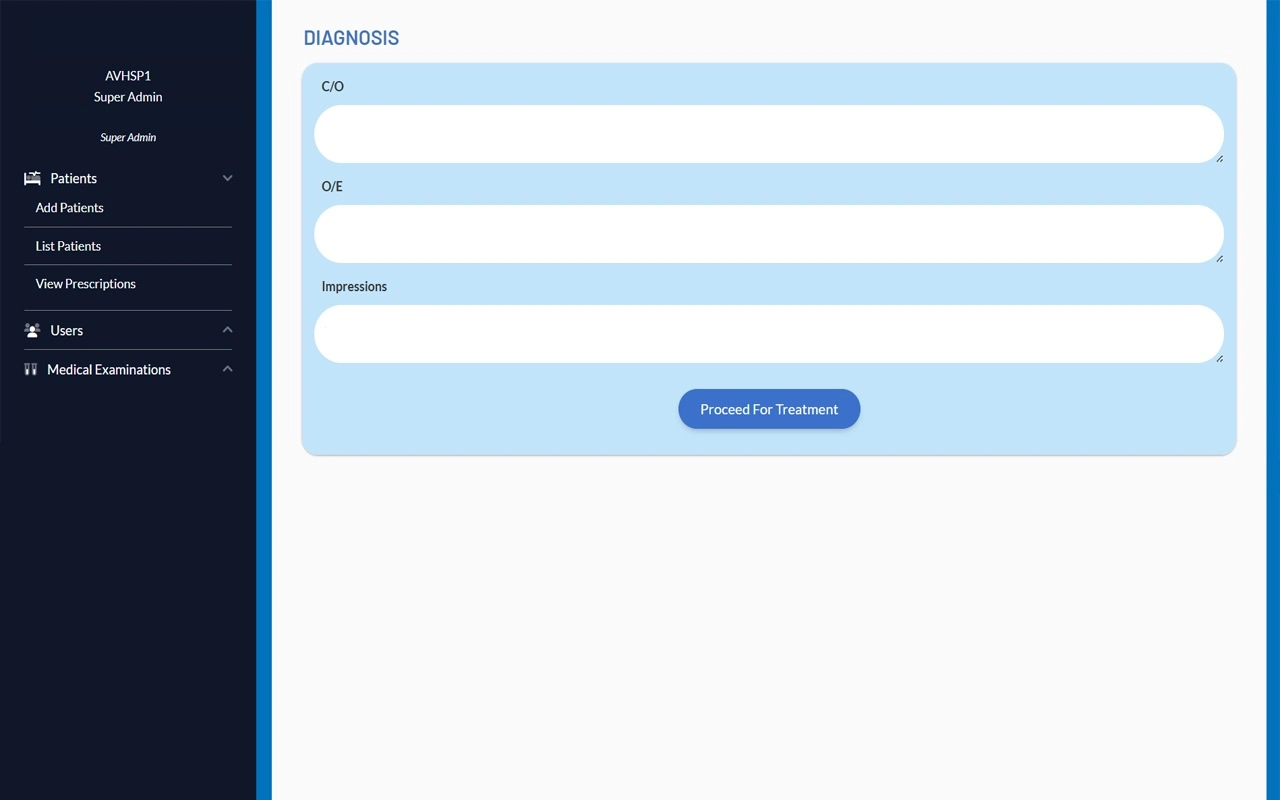
Diagnosis
A focused section where the super admin can review patient symptoms, clinical findings, and impressions. Once all details are recorded, treatment can be initiated directly from this interface, streamlining patient care.
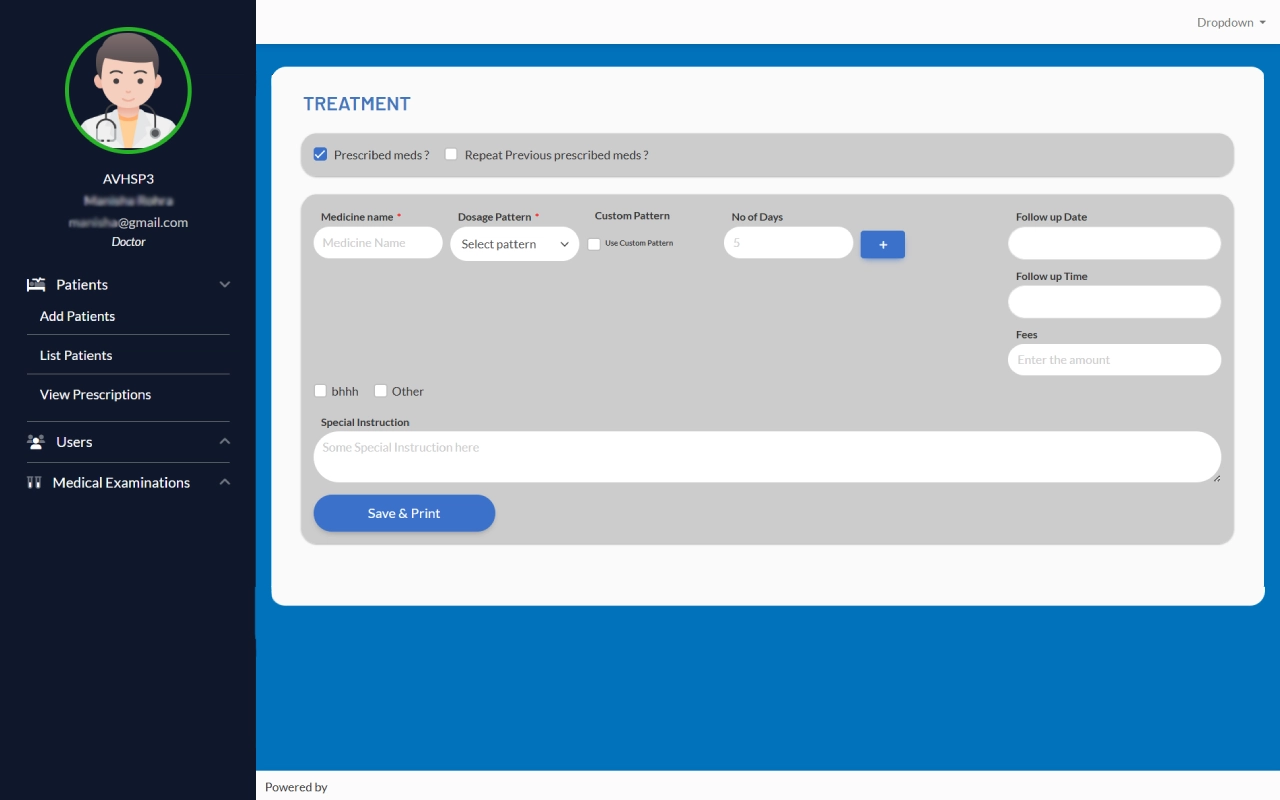
Treatment
This section allows the super admin to prescribe medications, set dosage patterns, schedule follow-ups, and add special instructions. The interface keeps everything organized, making treatment planning and record keeping efficient and accurate. (After saving and printing)
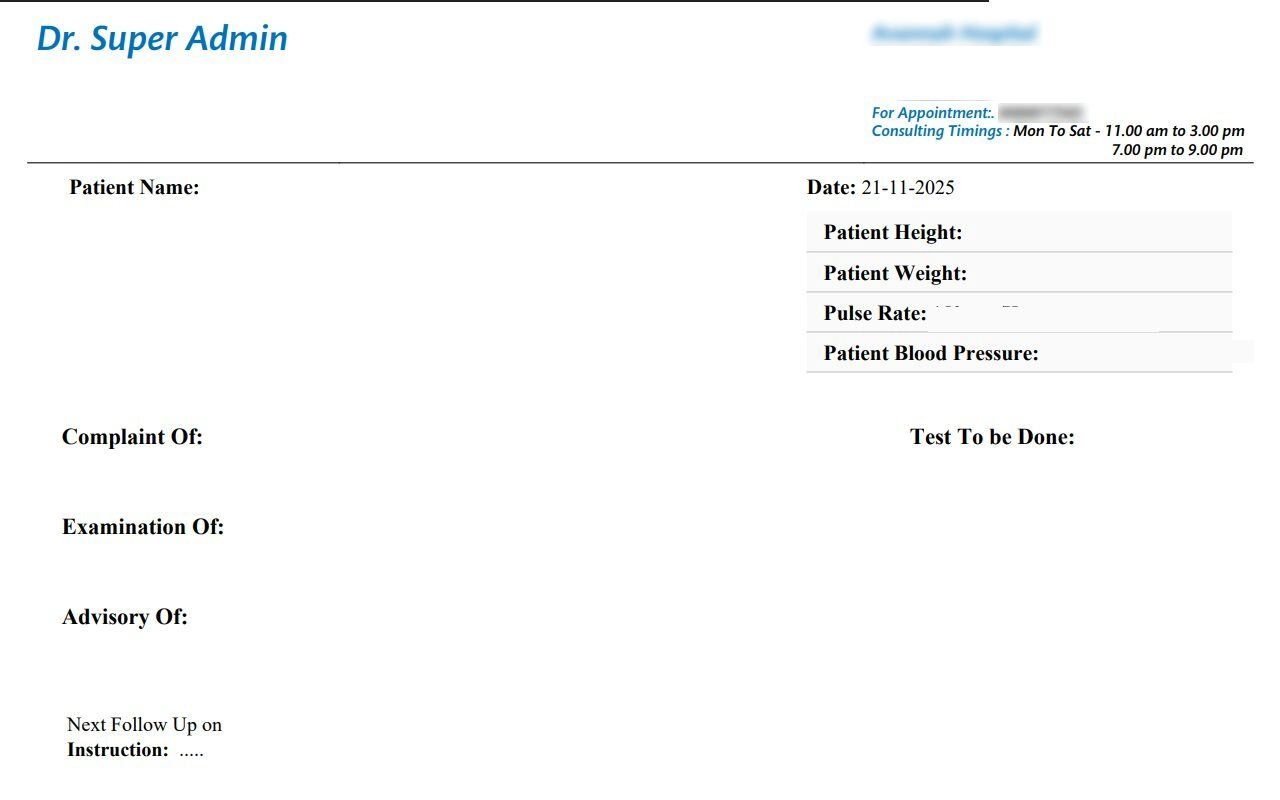
Prescription Overview
Once the treatment is finalized, the prescription can be downloaded in PDF format. The layout shows the super admin details, making it easy to save share or print for accurate records.
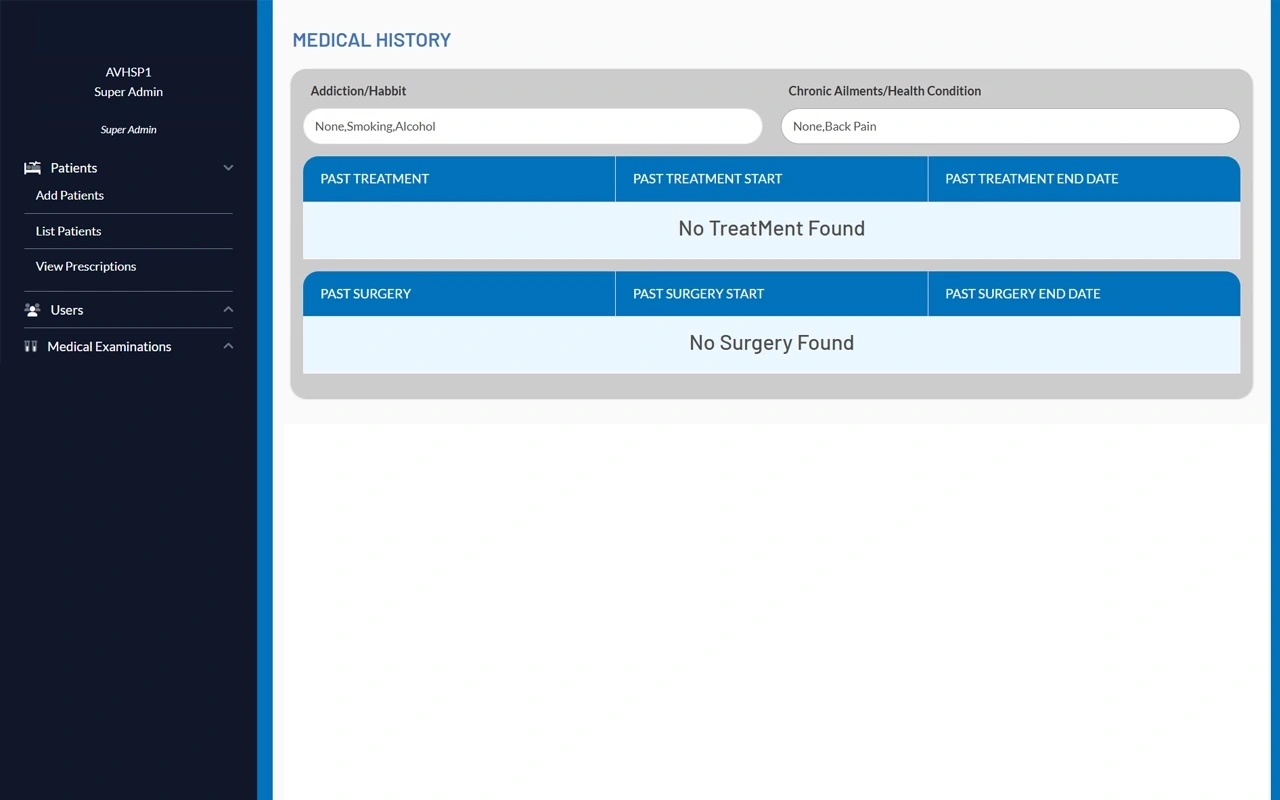
Medical History
This section provides a clear summary of a patient’s medical background, including habits, chronic conditions, past treatments, and surgeries. It helps staff quickly understand patient history and ensures accurate and informed care.
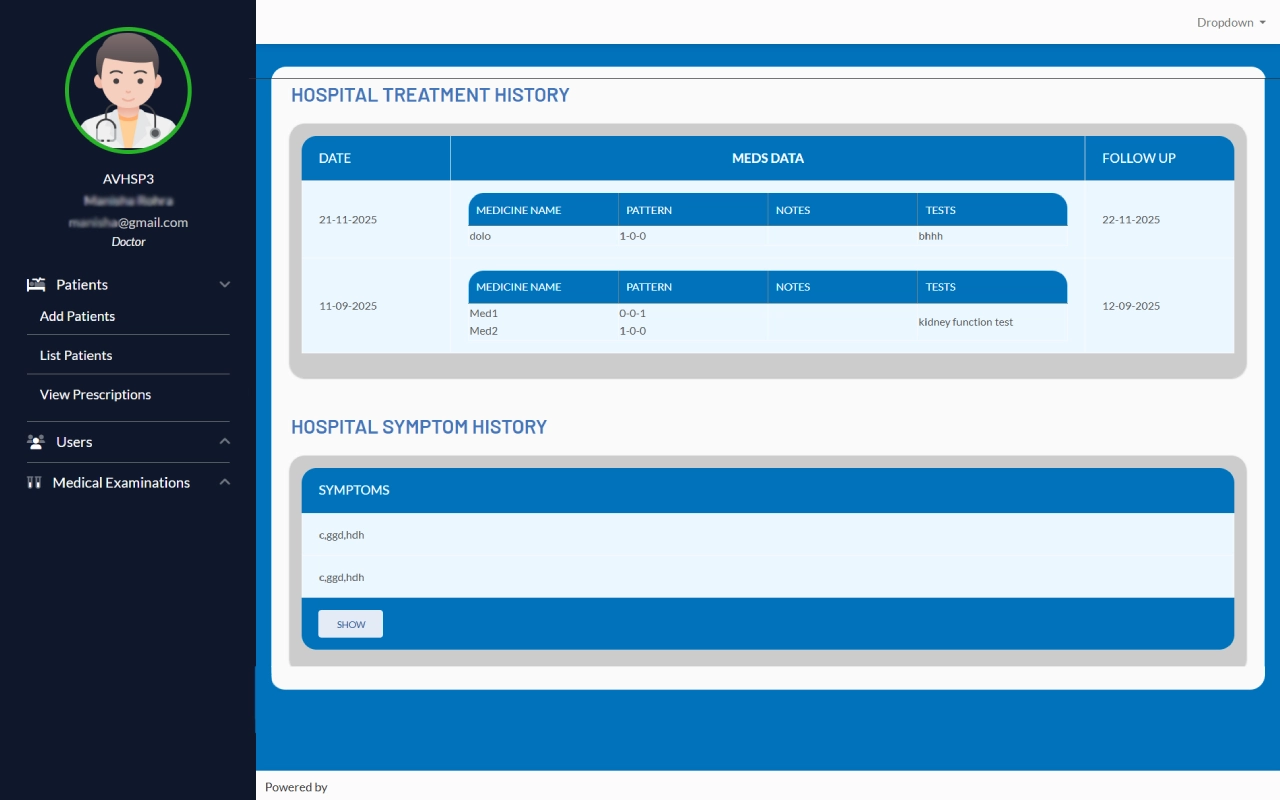
Hospital Treatment and Symptom History
This section provides a detailed record of a patient’s past treatments. It includes the date of each visit, prescribed medications, and follow-up schedules. Users can quickly review previous treatments and track ongoing care, ensuring continuity and accurate medical history management.
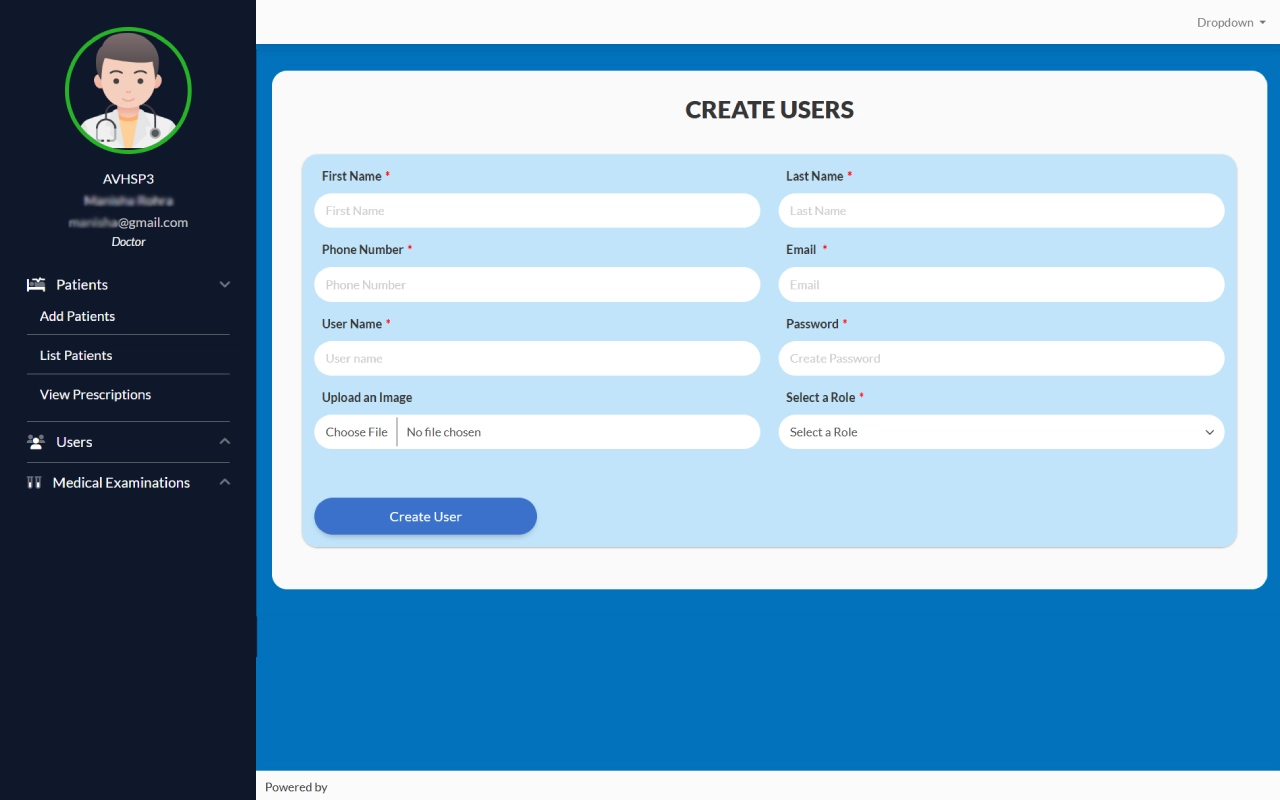
Create User
Super Admin can quickly create new user accounts by adding essential details, uploading a profile image, and assigning appropriate roles. This helps maintain secure access and organized management across the system.
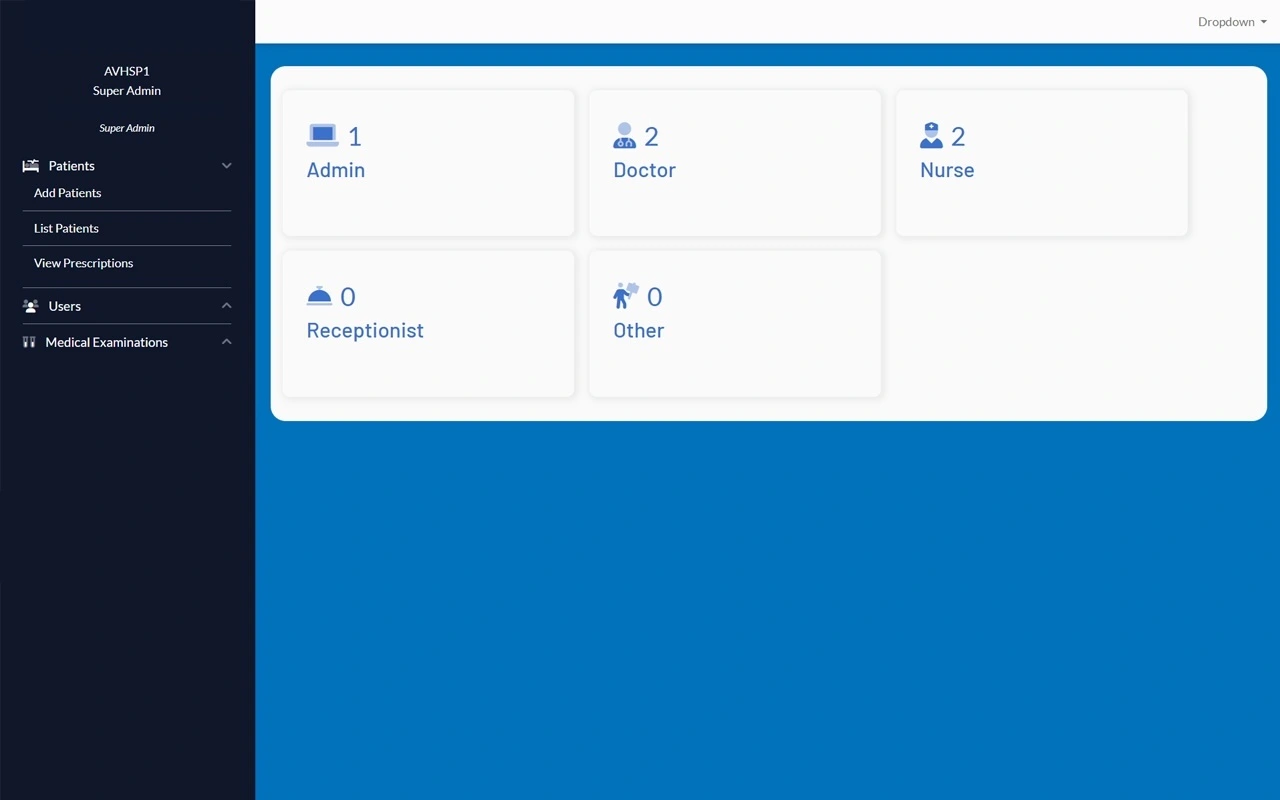
List Users
The user list displays all registered members categorized by their roles, such as admin, doctor, nurse, or receptionist. Each name is clickable, allowing quick access to individual profiles and details.
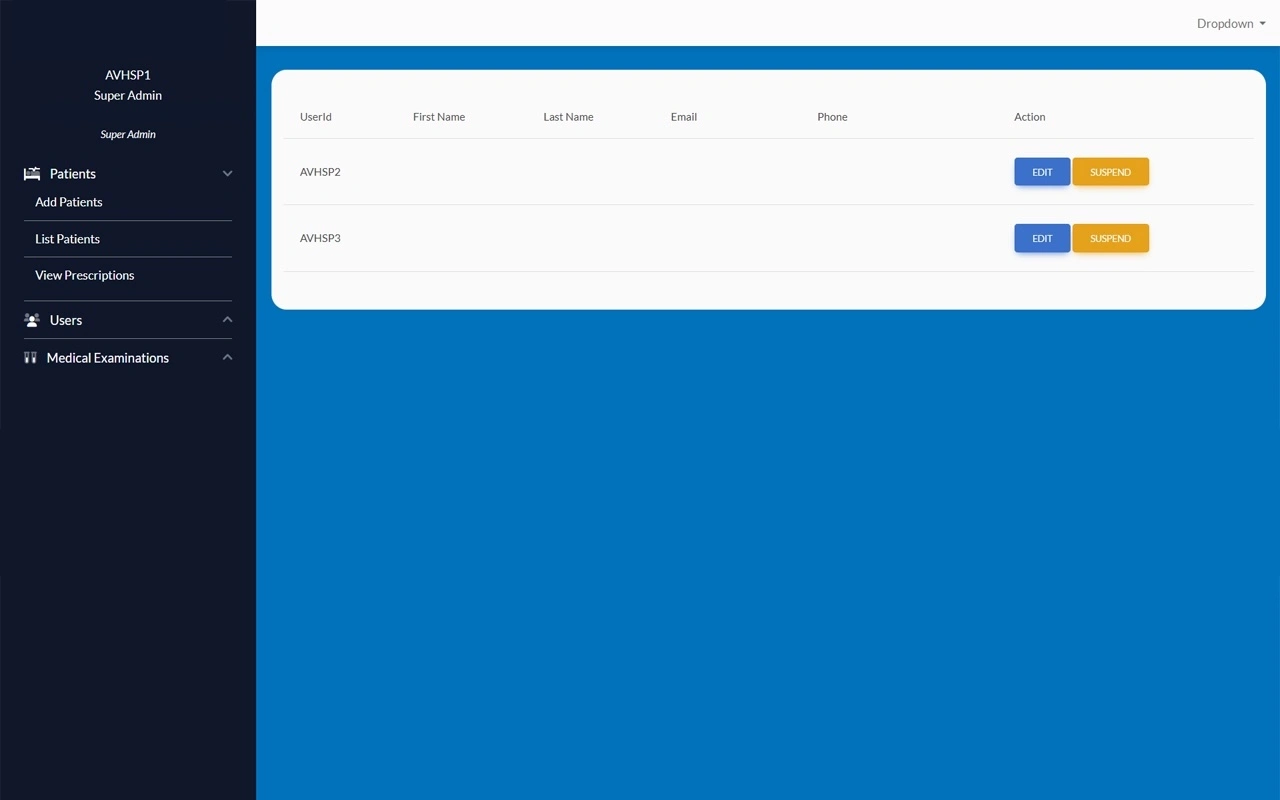
Role Selection
Selecting any role, such as Doctor, Nurse, or Receptionist, shows a detailed list of users along with their ID, name, and contact info. By tapping on a name, the same details appear, allowing quick access and easy management.
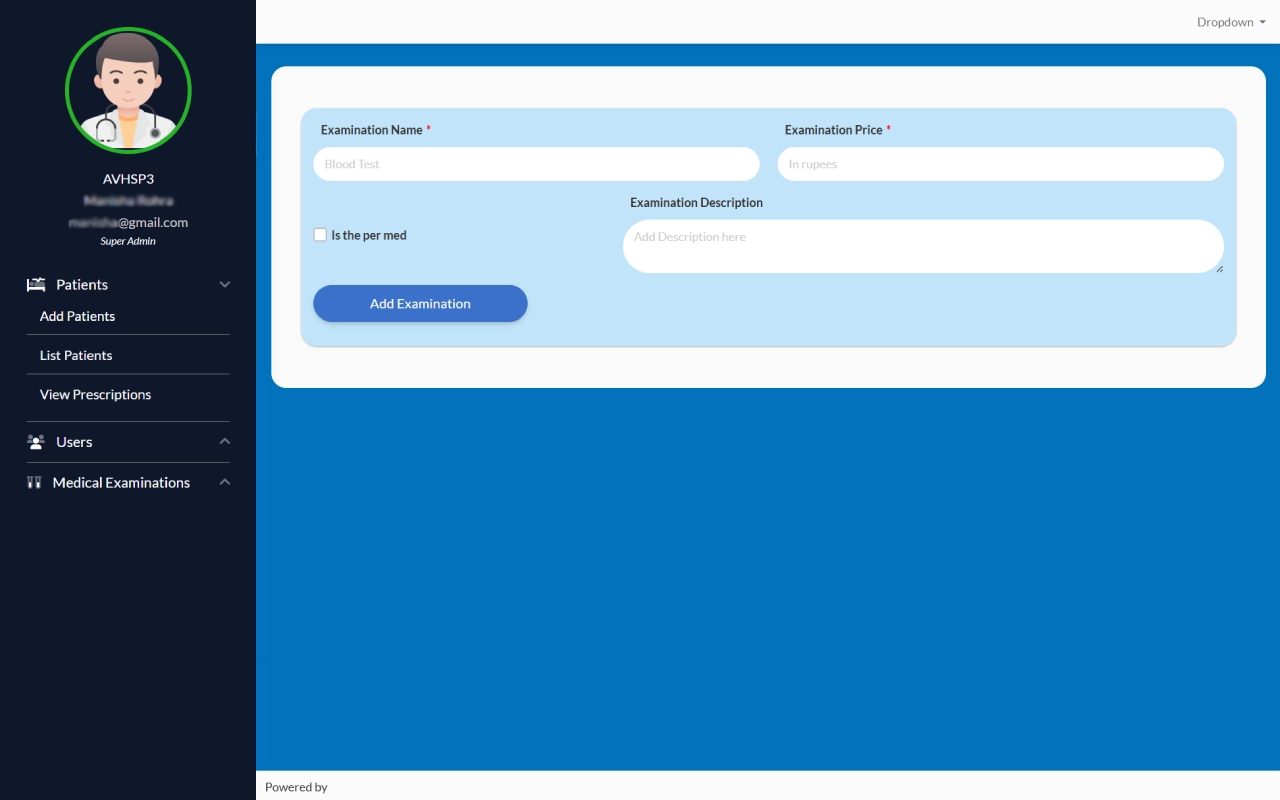
Add Medical Examination
Admins can easily add new medical examinations by entering the test name, price, and a short description. This helps maintain an organized record of available services with accurate details.
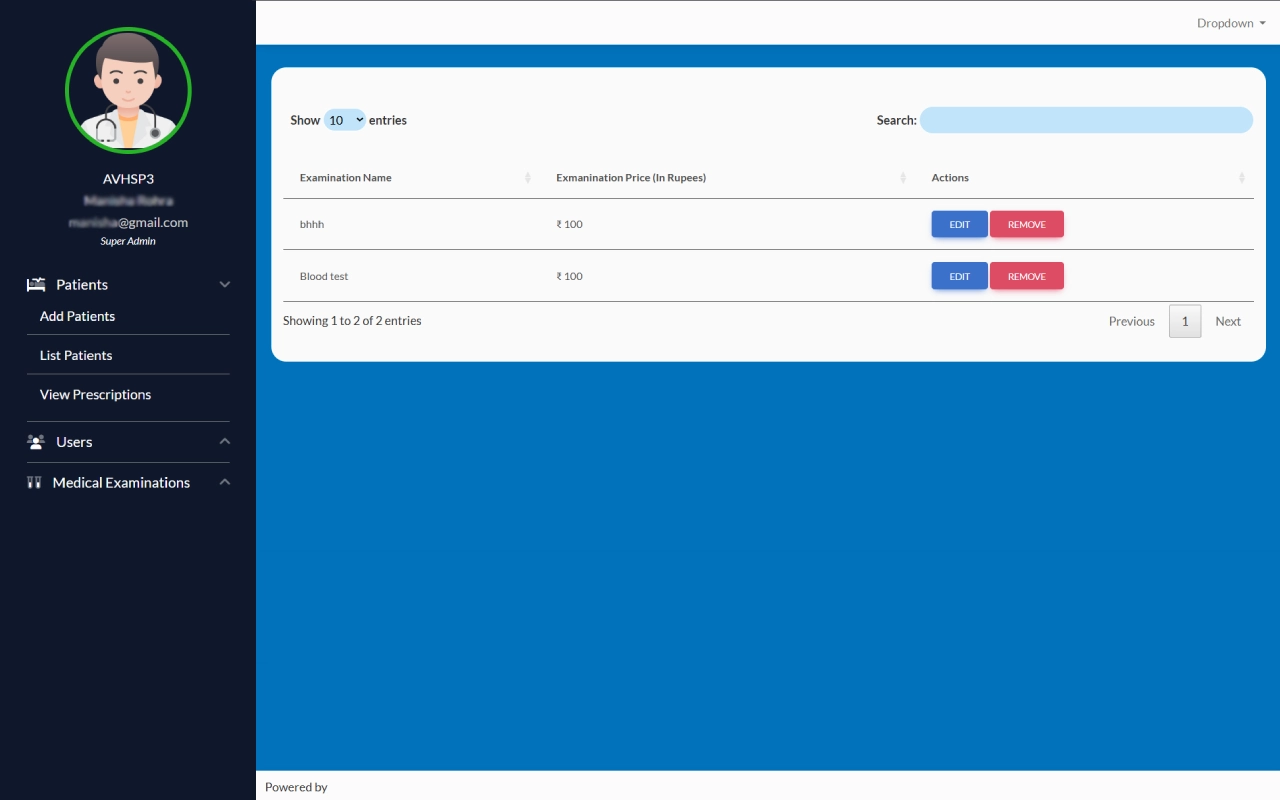
List Medical Examination
Once a medical examination is added, it appears in a clear list showing the examination name, price, and available actions. The super admin can easily edit or remove any entry, keeping records accurate and up to date.
Purpose
Built to simplify hospital and clinic management, this web application reduces manual effort and ensures accuracy. It enables staff to manage daily tasks with ease, strengthens communication across departments, and ultimately enhances patient care.
Modules
Divided into key sections, the platform includes Reception for handling patient entries and appointments, Admin for supervision and data management, and Doctor for accessing records and updating prescriptions. Together, these modules create a seamless workflow.
Features
Packed with practical tools, it allows staff to add and view patient details, track prescriptions, and maintain well-organized records. A secure login safeguards privacy, while instant access to reports and patient history helps doctors and administrators make better decisions.


